
Cloudflare vs GoDaddy for Affiliate Websites Which Platform Delivers Faster Load Times and Better Security

If you are building an affiliate website in 2026, you have two big names to think about: Cloudflare and GoDaddy.

Both offer domain registration, hosting, and security tools. But they work very differently. And that difference can make or break your affiliate income.
Here is the real pain point for most affiliate site owners. Slow load times. Each extra second your page takes to load means lost visitors and fewer commission checks. According to a 2026 performance comparison on HostAdvice, Cloudflare beat GoDaddy in every single speed metric. That is a big deal when every second matters.
Security is another headache. GoDaddy has had some serious breaches in the past, and you can find plenty of discussion about that in the GoDaddy vs Cloudflare breakdown on YouTube. If you want to protect your site and your reader data, you need to pick carefully.
Then there is cost and scalability. As your affiliate business grows, you will need a platform that does not hike prices or slow down.
In this article, we compare Cloudflare vs GoDaddy on the things that matter most for affiliate entrepreneurs: performance, security, pricing, and how easily you can scale. No fluff, just data. Let us jump in.
Core Offerings: What Cloudflare and GoDaddy Actually Do
Here is the first thing you need to understand about the cloudflare vs godaddy debate. These two services are not actually the same kind of product. They overlap in some areas, but they solve different problems for your affiliate site.
Cloudflare started as a content delivery network (CDN) and security layer. Think of it as a shield that sits in front of your website. It speeds up loading times by serving your content from servers all over the world. It also blocks attacks and hides your real server IP. Cloudflare is not a full web hosting provider in the traditional sense. You can use Cloudflare with any hosting service, including godaddy website hosting or others.
GoDaddy is the opposite. It is a classic web hosting company and domain registrar. You can buy a domain, sign up for shared hosting, and build a site using their website builder all in one place. According to the Cloudflare vs GoDaddy 2026 comparison on HostAdvice, GoDaddy uses a fixed-price model for hosting plans starting around $4.99 per month. But those plans often load slower than Cloudflare’s optimized network.
So where do they overlap? Both offer cloudflare domains registration. Both provide security tools like SSL certificates. But the focus is different. Cloudflare is built for speed and protection at the network level. GoDaddy is built for convenience with bundled services.
For an affiliate site owner, the difference matters a lot. If you want blazing fast page loads and strong DDoS protection, you add Cloudflare on top of any host. If you want an all-in-one dashboard to manage domains, email, and basic hosting, GoDaddy might feel easier at first.
But consider this: GoDaddy makes you pay extra for WHOIS privacy, while Cloudflare includes it for free. As the domain pricing comparison on namemyapp shows, Cloudflare sells .com domains at $9.77 versus GoDaddy’s typical $11.99 or more.
If you are building a serious affiliate business, think of Cloudflare as your performance and security engine. Think of GoDaddy as a possible registrar or host, but one you need to watch carefully on speed and add-on costs. Many successful affiliate site owners use Cloudflare as a mandatory layer, regardless of where they host. That is the real takeaway for the cloudflare vs godaddy decision.
Performance & Speed: Which Platform Helps You Rank Higher?
Page speed is not just a nice bonus for your affiliate site. Google uses it as a ranking factor. And if your site loads slowly, visitors leave before they even see your content. That means fewer clicks on your affiliate links and less income.

So how do Cloudflare and GoDaddy compare when it comes to speed?
Cloudflare is built for performance from the ground up. It has a global content delivery network (CDN) with servers in hundreds of cities. When someone visits your site, Cloudflare serves your content from the server closest to them. This cuts down load time a lot. Studies show that Cloudflare beats GoDaddy in every major speed metric. According to a detailed Cloudflare vs GoDaddy comparison on HostAdvice, Cloudflare had significantly faster Largest Contentful Paint (LCP) and overall load times. That matters because LCP is one of the core Web Vitals Google tracks.
GoDaddy, on the other hand, uses shared hosting for most of its plans. That means your site lives on the same server as dozens or hundreds of other websites. When one of those sites gets a traffic spike, yours can slow down. GoDaddy does offer higher tier plans with better performance, but they cost more. For the average affiliate site owner on a budget, the standard shared hosting can feel sluggish.
Let’s talk uptime. Cloudflare’s network is designed to handle massive traffic and attacks. Their uptime is industry leading, often above 99.99%. GoDaddy has had some well known outages over the years. In fact, a 2026 GoDaddy vs Cloudflare review on YouTube mentions past security failures that affected 1.2 million WordPress customers. While not directly about uptime, it shows that GoDaddy has struggled with reliability.
Latency is another area where Cloudflare shines. Because its servers are everywhere, the distance data travels is much shorter. A visitor in Tokyo gets served from a Tokyo data center, not a central server in the US. For GoDaddy, unless you pay for a premium CDN add on, your visitors may face slower loading times if they are far from GoDaddy’s servers.
For an affiliate site owner, faster pages mean better user experience and higher conversion rates. Every second of delay can cost you a percentage of your sales. If you are serious about ranking and earnings, Cloudflare is the clear winner here. You can add it on top of any host, including GoDaddy, and get instant speed improvements. Many successful affiliate marketers use Cloudflare as their default performance layer no matter where they host their site.
If you want to build a fast, reliable affiliate site, consider using the Automated Affiliate Method as your blueprint. It shows you how to set up your site correctly from the start, including speed optimization steps that give you an edge over competitors.
Security Solutions: Protecting Your Affiliate Income Stream
When you run an affiliate website, you are not just sharing links. You are also handling traffic and sometimes user data. That makes your site a target for hackers, bots, and spam. A single security breach can destroy months of work. Your rankings drop, your visitors lose trust, and your income disappears.

That is why choosing the right security solution matters in any cloudflare vs godaddy decision.
Cloudflare offers a full security toolkit right out of the box. You get free SSL certificates, a powerful Web Application Firewall (WAF), and automatic DDoS protection.
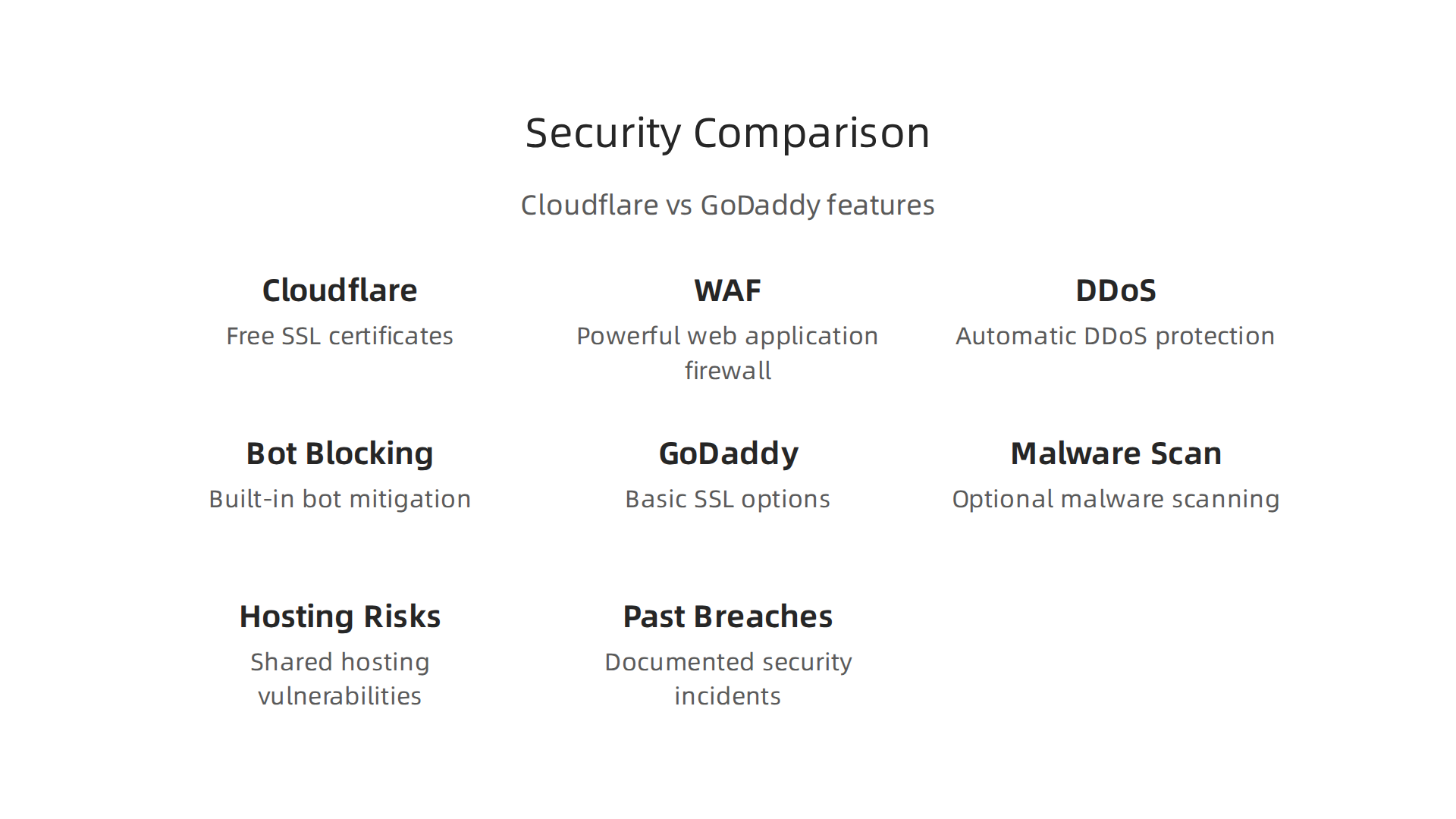
This means your site stays online even when someone tries to flood it with fake traffic. Cloudflare also blocks malicious bots that try to steal affiliate links or scrape your content. According to a detailed side-by-side comparison on Capterra, Cloudflare scores higher in security features than GoDaddy, including bot management and advanced threat detection.
GoDaddy provides basic security tools. You get SSL certificates, domain privacy, and some malware scanning. But these are often add-ons that cost extra. The shared hosting environment that most GoDaddy customers use is also a risk. If another site on the same server gets infected, yours can get infected too. And history shows that GoDaddy has had real security problems. A 2026 YouTube review points out that the FTC took action against GoDaddy for security failures that affected 1.2 million WordPress customers. Breaches like that can wreck an affiliate site’s reputation.
For affiliate marketers, security is not just about protection. It is about trust. When a visitor lands on your godaddy website and sees a "Not Secure" warning because of an expired SSL, they leave. If your site gets hacked and starts redirecting to spam, you lose every affiliate link you have built. Cloudflare domains also benefit from having the same security layer across all your sites, which makes management easier.
So which one should you pick for your affiliate income stream? Cloudflare is the stronger choice by a mile. It gives you enterprise level protection for free or very little cost. You can even add Cloudflare on top of a GoDaddy hosting plan and get the best of both worlds. But if you want a clean setup from day one, go with Cloudflare as your security backbone. A comparison on Slashdot also shows that Cloudflare users report higher satisfaction with security features overall.
Do not gamble with your affiliate earnings. A good security plan keeps your site safe, your rankings steady, and your income flowing. Take the time to set up proper protection before you start driving serious traffic.
Pricing Breakdown: What You Get for Your Money in 2026
Money matters. When you compare Cloudflare vs GoDaddy, pricing is one of the first things you see. Both look affordable at first glance. But dig a little deeper, and the real costs tell a different story.
Cloudflare: Generous Free Tier, Transparent Upgrades
Cloudflare offers a free plan that is surprisingly powerful. You get a global CDN, free SSL, DDoS protection, and basic firewall rules. That alone saves you $20 to $50 per month compared to buying those features separately. If you need more, the Pro plan starts at $20 per month and adds faster image optimization and advanced security rules. For most affiliate marketers, the free tier is enough to get started.
Domain pricing is also clear. According to a domain price comparison from namemy.app, Cloudflare sells .com domains for $9.77 with no markup. GoDaddy often charges the same intro price, but then adds fees for WHOIS privacy and other extras. Cloudflare passes along the registry cost without hidden upsells. This transparency is a big plus if you plan to manage multiple cloudflare domains.
GoDaddy: Low Intro Prices, But Watch the Renewals
GoDaddy advertises shared hosting starting at $4.99 per month. That sounds cheap. But that price only applies to the first term. When you renew, the rate jumps significantly. A 2026 YouTube analysis highlights GoDaddy’s “pricing trap” where WHOIS privacy is a paid add-on, adding $10 to $15 per year per domain. And their basic hosting plan lacks many security features, so you end up paying extra for SSL backups and malware scanning.
A comparison on HostAdvice notes that GoDaddy uses a fixed-price model with shared hosting from $4.99, but the real cost after adding essential extras can easily reach $15 to $25 per month. Over a year, that gap widens.
Hidden Fees and Renewal Surprises
Nothing hurts more than seeing a surprise charge. GoDaddy is known for aggressive upsells at checkout. Domain privacy, email hosting, and site backups are often sold as optional add-ons. Cloudflare keeps things simple. You pay for domains at cost, and the free plan covers most security needs. If you do want advanced features, you pick a plan without hidden fees. A comparison on Slashdot shows Cloudflare users consistently report higher satisfaction with pricing transparency.
The Bottom Line for Affiliate Marketers
Your money goes further with Cloudflare. The free tier saves you cash that you can reinvest in your affiliate business. For example, the money you save on security and performance can be used to promote high quality products in your niche. If you run a pet blog, you could join the Fitbark affiliate program and earn commissions from health trackers. Every dollar saved on infrastructure is one more dollar you can spend on content or tools to grow your income.
If you already have a godaddy website, you can still add Cloudflare on top for free. That gives you the best of both worlds: GoDaddy’s hosting and Cloudflare’s security and speed. But if you are starting fresh, Cloudflare’s pricing is harder to beat.
User Experience and Setup: Which Is More Newbie-Friendly?
You’ve seen the price differences. But when you’re a solopreneur with a busy schedule, low prices don’t matter much if the setup takes forever or feels confusing. So how easy is it to actually start using Cloudflare vs GoDaddy?
GoDaddy: Built for Beginners Who Want to Launch Fast
GoDaddy makes things simple. You sign up, pick a plan, and their guided setup walks you through every step. They bundle domain registration, hosting, email, and website builder all in one place. There is no need to figure out DNS records or security settings on your own. A GoDaddy survey on customer patience shows they know users want speed and simplicity. Their whole experience is designed so you can launch a godaddy website in under an hour.
For solopreneurs who want to spend their time on content instead of tech, that is a big win. You do not need to touch complex control panels. Everything is ready to go.
Cloudflare: More Powerful, But Prepare to Learn
Cloudflare started as a security and performance company. Its interface is clean, but it assumes you already understand things like DNS records, caching rules, and firewall settings. The free plan is amazing, but you will need to point your domain to Cloudflare and configure a few settings yourself. If you have never done that, there is a learning curve.
That said, Cloudflare is not impossible for beginners. Many users pick it up after watching a short tutorial. And once it is set up, you barely touch it again. Still, the initial setup takes more effort than GoDaddy.
For solopreneurs with limited technical skills, GoDaddy’s hand-holding might be worth the extra cost. You can get your site live quickly and start working on what matters: promoting products and earning commissions. For example, if you run a pet blog, you could set up quickly on GoDaddy and then join the Fitbark affiliate program to start earning from health trackers. The faster you launch, the sooner you make money.
A Surprising Collaboration in 2026
Here is an interesting twist. In 2026, Cloudflare and GoDaddy announced a partnership. GoDaddy now integrates Cloudflare’s AI Crawl Control into its hosting platform, giving small businesses access to advanced security tools. As reported by AdWeek, this helps website owners control which AI agents can scan their sites. So if you choose GoDaddy, you can still benefit from some of Cloudflare’s best features without the steep setup.
Which One Is Right for You?
It comes down to your comfort level. If you want a smooth, all-in-one start and do not mind paying a little more for convenience, GoDaddy is your best bet. If you are willing to spend an hour learning DNS basics for lower long-term costs and top-tier performance, go with Cloudflare.
For most affiliate marketers starting in 2026, ease of use wins. You have limited time. You want to build your site and start driving traffic. That is why a beginner-friendly platform like GoDaddy remains a solid choice, especially with its new Cloudflare integration. But if you know your way around a control panel, Cloudflare’s free setup is hard to beat.
Scalability and Automation: Growing Your Affiliate Empire
So far we have focused on getting one site up and running. But here is the reality for most affiliate marketers. You will not stop at one site. You will build two, five, maybe ten niche sites over time. That is when the cloudflare vs godaddy question really matters.
Think about it. Managing a single godaddy website is easy. You log in, make changes, and move on. But what happens when you have five or ten sites?

Suddenly, logging into separate dashboards and manually updating each one becomes a huge time sink.
This is where Cloudflare pulls ahead for growing businesses. Cloudflare was built with APIs and automation in mind. You can manage DNS settings, security rules, and caching for dozens of domains from one central dashboard. Their bot management tools help you control traffic across all your sites at once. If you run multiple affiliate websites, this kind of automation saves you hours every week.
GoDaddy takes a different approach. Their platform is designed for single-site management. To scale, you need to buy separate plans and manually update each site. There are fewer automation options built in. That works fine when you have one or two sites. But when you start building an affiliate empire, that manual work adds up fast.
The good news? In 2026, the lines between these two services are blurring. As AdWeek reported, Cloudflare and GoDaddy partnered to bring Cloudflare’s AI Crawl Control to GoDaddy’s hosting platform. This means GoDaddy users now get some automation and security features that were once exclusive to Cloudflare. It is not the full API suite, but it is a step in the right direction.
For solopreneurs managing multiple sites, here is what I recommend. If you plan to scale fast and want full control through automation, Cloudflare is the better foundation. But if you prefer the simplicity of GoDaddy and only run a few sites, the new partnership helps close the gap.
Either way, your goal is the same. Build sites, drive traffic, and earn commissions. Once your sites are set up, you can focus on promoting products you believe in. For example, if you run a pet health site, you could join the Fitbark affiliate program and promote smart pet trackers across all your properties. The easier it is to manage your sites at scale, the more time you have to create content and grow your income.
Final Verdict: Choosing the Right Platform for Your Business Model
So after all that, which platform wins the cloudflare vs godaddy battle? The honest answer is: it depends on your business model. There is no one-size-fits-all winner. The right choice comes down to your technical comfort, your budget, and how fast you plan to grow.
Let me break it down simply.
GoDaddy is the better fit if you are a beginner, have a single site, and want everything in one place. You get domain registration, hosting, and email all from one dashboard. No need to mess with separate services. A detailed comparison on HostAdvice points out that GoDaddy offers a more complete hosting setup for most people. It is straightforward and easy to manage. If you are not very technical and only need one or two sites, GoDaddy is a solid, all-in-one choice.
Cloudflare is the better fit if you already have hosting somewhere else and you care about speed, security, and scaling. Cloudflare does not host websites directly. Instead, it sits in front of your existing host and makes your site faster and more secure. According to a comparison on Slashdot, many users praise Cloudflare for making both security and speed work together. If you plan to build multiple affiliate sites or already use a separate host like SiteGround or WP Engine, adding Cloudflare gives you the performance boost and bot protection you need to scale.
Decision framework for 2026
Ask yourself these three questions:
- How technical are you? If you are comfortable with DNS settings and separate services, go Cloudflare. If you prefer a simple all-in-one dashboard, go GoDaddy.
- What is your budget? Cloudflare has a generous free plan that covers basic CDN and security. GoDaddy hosting plans start low but renewal prices can climb. Compare long-term costs.
- What are your growth plans? If you want to run five, ten, or more niche sites in the future, Cloudflare’s automation and API support will save you time. If you are fine with one or two sites, GoDaddy’s simplicity works fine.
The bottom line: Cloudflare is not a replacement for hosting. It is a performance and security layer. GoDaddy is a full hosting package. Use them together if you want, or pick one based on your needs.
Once you have your platform set up, the real work begins: driving traffic and earning commissions. If you are in the pet niche, for example, the Fitbark affiliate program lets you promote smart pet trackers across your sites. That is how you turn your hosting choice into real income.
Choose the platform that fits your current situation, but always keep your future growth in mind. That is the smartest cloudflare vs godaddy decision you can make.
Summary
This article compares Cloudflare and GoDaddy from the perspective of affiliate site owners, focusing on performance, security, pricing, setup, and scalability. It explains that Cloudflare is primarily a CDN and security layer built for speed, uptime, and automation, while GoDaddy is a traditional registrar and hosting provider aimed at convenience and quick launches. The piece reviews speed and Web Vitals, showing Cloudflare’s advantage in load times and latency, and contrasts security features and past incidents that make Cloudflare the stronger protective choice. Pricing is examined beyond sticker rates to include renewals, WHOIS privacy, and hidden add-ons, with Cloudflare’s free tier and domain pricing presented as more transparent. The article also covers real-world setup differences—GoDaddy’s beginner-friendly onboarding versus Cloudflare’s steeper learning curve—and explains how Cloudflare’s APIs and automation scale better for multiple sites. Finally, it offers a clear decision framework so readers can choose based on technical comfort, budget, and growth plans and suggests combining both services for some users.