
Create a Facebook Business Page for Affiliate Marketing

Introduction
Are you an affiliate entrepreneur spending hours on random social media posts and hoping something sticks? You are not alone.

Many people jump into Facebook affiliate marketing with no real plan. They post links on their personal profiles or in random groups. This is a fast track to getting banned.
In 2026, Meta completely changed the rules of affiliate marketing. They rebuilt affiliate tools inside Instagram and Facebook. If you still use old methods, you are leaving money on the table. Worse, you risk losing your account. A new guide explains that posting Amazon affiliate links on your profile can get you banned. Facebook cracks down hard on personal accounts used for business promotions.
Here is the simple fix. You need a dedicated home for your business. Learning to create a Facebook business page gives you a safe, professional space to build trust and automate your income. A structured page is the foundation that makes the Automated Affiliate Method work. Without it, your efforts stay random and hard to scale.
This guide walks you through every step to create a business page on Facebook that is optimized for affiliate success. You will learn how to set up your page the right way from day one. We will focus on the tools and features that help you automate growth.
Imagine having one central place where you can promote products like pet accessories from Fitbark. That is the power of a proper business page. Ready to stop guessing and start building? Let us dive into the exact process.
Why a Dedicated Facebook Business Page Is Non‑Negotiable for Affiliates
Picture this: You spend hours crafting a post about a product you love, like a Fitbark dog tracker. You paste your affiliate link into your personal Facebook profile. Within minutes, your post gets flagged. Worse, you get a warning from Facebook. Sound familiar?
That is exactly what happens when you treat a personal profile like a business tool. In 2026, Facebook’s link rules are stricter than ever. The platform now aggressively penalizes personal accounts that share promotional links. According to a detailed analysis, posting Amazon affiliate links on your personal profile can get you banned. Why risk your entire account when a simple shift solves the problem?
Here is the truth: Facebook’s algorithm favors business pages over personal profiles for any content that promotes products or services. This is not a rumor.
It is how the platform works in 2026. When you create a business page on Facebook, you automatically get better visibility for your affiliate posts. The algorithm sees a business page as a legitimate source. It pushes your content to more people.
You also unlock tools you simply cannot get on a personal profile. Business pages give you access to detailed analytics. You can see exactly which posts get clicks and which ones fall flat. You get built-in advertising tools to boost your best content. Plus, Facebook now offers expanded affiliate tools that let you tag products directly in Reels. This self-serve feature is only available to business pages. It is a game-changer for earning commissions without breaking any rules.
Trust matters too. When you create a business page on Facebook, you look professional.

Affiliate programs and networks check your page before approving you. A polished page with a profile picture, cover photo, and clear bio signals that you are serious. It builds trust with your audience as well. People are far more likely to click a link from a professional page than from a random personal profile.
The numbers back this up. Organic reach for business pages averages only 1–6% of followers. That sounds low, but it is stable and predictable. More importantly, business pages can join Facebook Groups and share content there with much higher reach (20–40%). A personal profile cannot do that safely.
So stop leaving money on the table. If you want to build a real affiliate income in 2026, you must create a Facebook business page. It is the only way to play by the rules, earn trust, and unlock the tools that scale your efforts.
Ready to take the next step? One of the smartest things you can do is choose a high-quality product to promote. For example, you can start with pet accessories from Fitbark by joining their affiliate program. It is a great way to test your new page with a trusted brand.
Prepping Your Affiliate Niche and Audience Before You Create Your Page
You are convinced a business page is the way to go. That is the first big step.
But do not rush into settings just yet. The biggest mistake new affiliate marketers make is skipping the prep work. If you want to create a Facebook business page that actually earns money, you need to get three things straight first: your niche, your audience, and the rules you plan to follow.
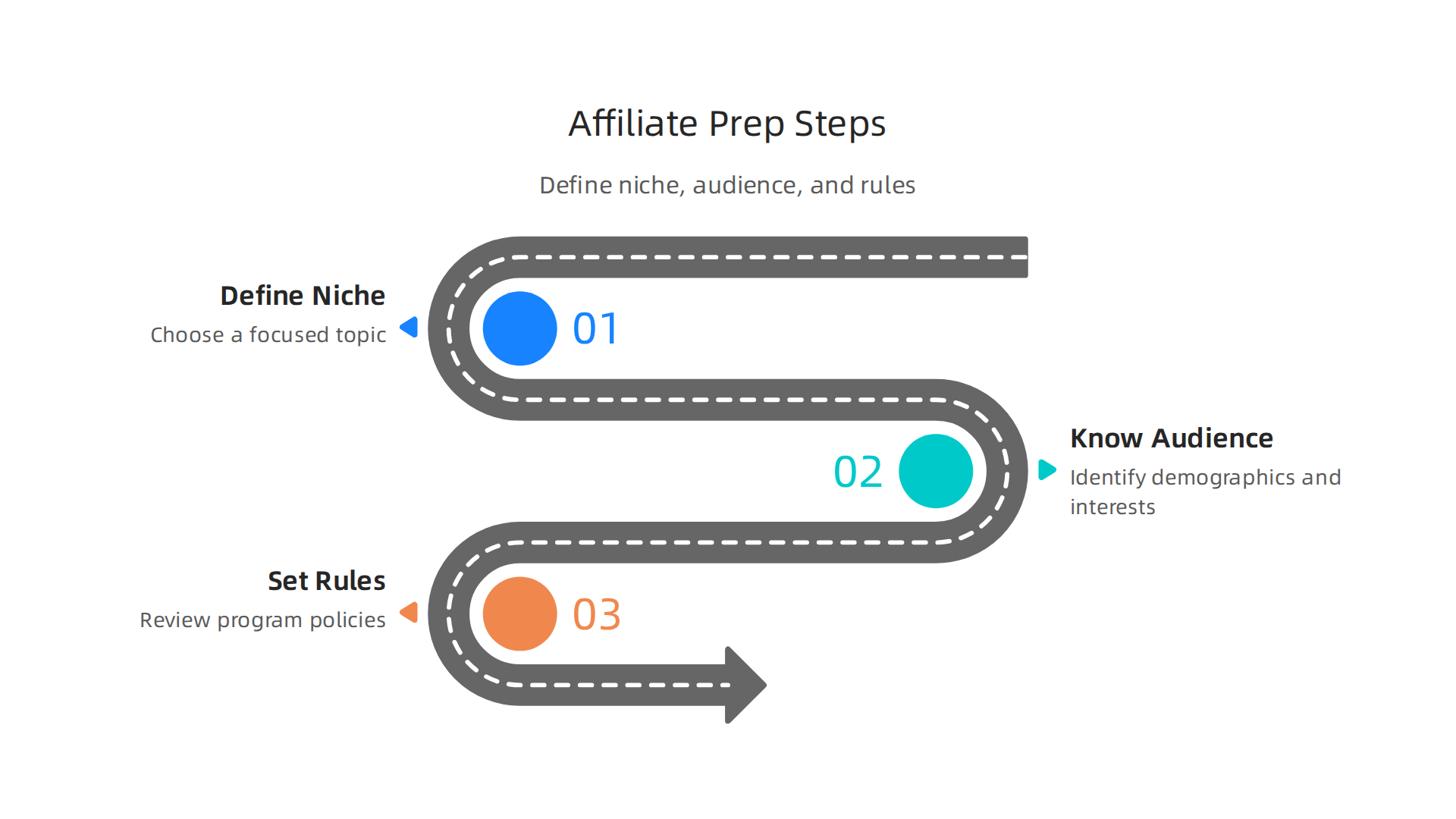
Your niche is your compass.
When you pick a narrow niche, everything gets clearer. Your page name, category, cover photo, and your first batch of posts all make sense. According to research on the most profitable niches in 2026, the best niches combine high demand with products people buy repeatedly. When you create a business page on Facebook, the platform asks for a category. A sharp niche makes this choice easy. It also determines your long term content strategy. If you pick a niche that is too broad, your page will feel generic. If you pick one you genuinely care about, you will have the energy to keep showing up for months.
Your audience shapes your voice.
Once you know your niche, spend 20 minutes on Facebook itself. Type your niche into the search bar. Look at the groups and top pages that show up. Read the comments. What questions do people ask? What frustrations keep popping up? This simple research helps you tailor your page name, description, and bio perfectly. In 2026, Meta is transforming its affiliate tools to favor creators who talk directly to engaged communities. When you create facebook page for business, you can use the exact words your audience uses in your bio. That instantly signals, "I get you."
Your affiliate program sets the boundaries.
Every affiliate program comes with its own terms. Some ban link shorteners. Some require clear disclosures. Some only pay commissions on specific products. If your page goals do not match these rules, you risk getting shut down. A recent Facebook crackdown on Amazon affiliate links shows exactly what happens when you ignore the platform’s policies. Playing by the rules from day one protects your page.
For example, if pet accessories are your niche, you can join the Fitbark affiliate program. It is a well structured program with clear policies that work perfectly with a business page. Aligning your page setup with a program like this prevents headaches later.
With a focused niche, a clear audience, and a vetted program, you are ready to take the next step.
Step-by-Step: How to Create a Facebook Business Page the Right Way
Alright, you have your niche picked, your audience in mind, and an affiliate program like the Fitbark affiliate program ready to go. Now it is time to actually build the page. The good news? You can get a page live in under 10 minutes if you follow these steps.
Step 1: Start from the right spot
Go to facebook.com and click the "Pages" tab on the left side of your feed. Then hit the blue "Create Page" button. If you are brand new, you can also go directly to the page creation tool. For a detailed walkthrough, check out this step-by-step guide from Coursera that walks you through every screen.
Step 2: Choose your category and sub-categories
This is where your niche research pays off. Facebook asks you to pick a category that best describes your page. For affiliate marketers, "Brand or Product" often works well, but you can also select "Community" or "Shopping" depending on your niche.
Choose a main category and then add sub-categories. For example, if your niche is pet accessories, the main category could be "Pets" and sub-categories like "Pet Supplies." Getting these right helps Facebook show your page to the right people.
Step 3: Fill in the basic info
Add your page name (make it clear and match your niche), upload a profile photo (a logo or a clean image works), and write a short bio. Keep the bio friendly and keyword-rich. Use words your audience uses. Remember, Facebook is expanding its affiliate tools to include brand links, so a focused bio helps you get picked up by those new features later.
Step 4: Configure your username and contact details
A custom username (like facebook.com/YourNicheName) makes your page look professional. Go to settings, then "Page Info," and set a username if it is available. Also add an email address or website. For affiliates, your website link is where you will send traffic, so make sure it is correct.
Step 5: Set up page roles
If you plan to have a team member help, add them now under "Page Roles." But even if you are solo, check this setting so you know where to find it later. You will want to avoid surprise lockouts.
That is it. Once these settings are in place, you have a solid foundation. Next, we will cover how to optimize your page for maximum reach and engagement in 2026.
Optimizing Your Page for Search and Conversions
You have your page live. Nice work. But here is the truth: a basic page is not enough. If you want people to find you and then actually click your affiliate links, you need to optimize every part of your page for both search and conversions. In 2026, Facebook’s algorithm rewards pages that look complete and act professional.
Make your page name and description work for search
When you create a Facebook business page, the name you choose matters more than you think. It is one of the first things Facebook uses to decide who to show your page to. Try to include your main keyword naturally. For example, if your niche is dog fitness, "FitBark Lovers Community" is better than just "The Dog Spot." It tells Facebook exactly what you are about.
Same goes for your description. That short bio below your profile photo is prime real estate. Use it to describe what you offer and include a few keywords your audience searches for. Think about what someone would type to find you. The Coursera guide on how to create a business page on Facebook stresses that a clear description helps people know you are legit right away.
Set up your tabs and CTA button
Your page has tabs like "About," "Photos," "Videos," and "Shop." Rearrange them so the most important ones show up first. If you are promoting affiliate products, the "Shop" tab or a custom "Deals" tab can be a game changer. You can add a tab for your offers using Facebook’s native tools.
Then, do not forget the call-to-action button. That big blue button right below your cover photo. Pick one that matches your goal. "Shop Now" works great if you are sending people to an affiliate offer like FitBark products. "Learn More" is good for blog posts or videos. Every time someone clicks that button, you get a chance to convert. Make sure the link goes directly to your offer page.
Cover image and video best practices
Your cover image or video is the first thing people see. It needs to grab attention in under two seconds. Use a high-quality image that shows your niche in action. A cover video can work even better. For example, show someone walking a happy dog wearing a FitBark tracker. That kind of real-life use builds trust fast.
Keep text on your cover minimal. Facebook may hide the bottom part on mobile. Also, change your cover every few months so your page stays fresh. A static cover for a year makes you look inactive.
Pin your best post
The pinned post sits right at the top of your page. Use it to promote your best affiliate content or a special offer. Update it weekly. This is free real estate for conversions.
One more thing
After you create a business page on Facebook, always preview it on mobile. Most of your traffic will come from phones.

Make sure everything looks good and links work.
You have already set up the foundation. Now take these optimization steps and your page will start driving real results.
Automating Your Affiliate Content Workflow on Facebook
Manually posting to your Facebook page every single day is a recipe for burnout. You probably started your affiliate page with tons of energy, but after a few weeks, keeping up with daily posts, replies, and link checks feels impossible. Here is the good news: in 2026, you do not have to do it all by hand. Automation tools can handle the heavy lifting so you focus on strategy and building relationships.
Schedule posts in advance with the right tools
The easiest way to stay consistent without spending hours is to schedule your posts ahead of time. Facebook’s own Meta Business Suite lets you plan posts days or weeks in advance.
You can write captions, upload images, and pick a time to publish. No more logging in every morning.
For more advanced control, third-party tools take scheduling even further. The Facebook marketing automation guide for 2026 from Toffu explains how to automate campaign rules and creative rotation. Tools like Benly or AdStellar can also help you schedule and optimize posts so your page always looks active.
Set aside one hour each week. Use that time to create your posts for the next seven days. Queue them up. Then forget about posting and focus on engaging with your audience.
Repurpose your best content to save time
You probably already create blog posts, videos, or email content for your affiliate business. Do not let that content sit there. Turn it into Facebook posts.
Take a key tip from a blog post. Turn it into a short text post with a link. Record a quick video review of a product like the FitBark tracker. Upload that video directly to Facebook. Pull a quote from your email newsletter and make it a graphic post.
Repurposing means you never run out of ideas. You also get more value from every piece of content you create. This approach fits perfectly with the Automated Affiliate Method, which teaches you how to set up repeatable content workflows. You produce less but publish more.
Set up automated responses and chatbots for lead nurturing
When someone comments on your post or sends a message, they expect a quick reply. You cannot be online 24/7. That is where automation helps.
Set up an automated welcome message for new followers. Create a simple chatbot that answers common questions like “Where can I buy this?” or “How does this product work?” You can guide people to your affiliate link without lifting a finger.
The SlickText guide on marketing automation for agencies shows how tools can capture leads and nurture them automatically. Even a basic automated response can increase conversions because the person gets an answer right when they are interested.
Set up a chatbot to ask questions and qualify leads. For example, if you promote FitBark, your chatbot can ask “What kind of dog do you have?” and then suggest the best tracker. That feels helpful, not spammy.
Put it all together
Automation does not mean you disappear. It means your page works for you even when you sleep. Use scheduling, repurposing, and chatbots to keep your Facebook page active and converting.
That is how you turn your page into a real asset.
If you are serious about building a system that runs itself, check out the Automated Affiliate Method. It walks you through exactly how to set up these workflows from scratch.
Tracking Performance and Scaling with the Automated Affiliate Method
You set up your automation. You scheduled posts. You built a chatbot. Now what? The next step is making sure your efforts actually pay off. Without tracking, you are just guessing.
Use Facebook Insights and UTM parameters
Every Facebook page comes with a built-in analytics tool called Facebook Insights. It shows you which posts get the most clicks, shares, and comments. You can see exactly what your audience wants.
But to go deeper, you need UTM parameters. These are little tags you add to your affiliate links. They tell you where a click came from: a specific post, an ad, or a chatbot message. Tools like the ones listed in the 2026 Facebook marketing automation guide help you set up and track these tags automatically.
When you create a Facebook business page, most people stop at posting content. The smart ones add UTM codes to every link. Then they check the data weekly. Which product review got the most traffic? Which chatbot flow led to a sale? That data is gold.
Double down on what works
Once you know your top performers, put more fuel on the fire. Take your best post and turn it into a paid ad. Facebook ads let you target people similar to your existing followers.
Using automation tools like those covered in the best Facebook ads software list for 2026 can help you scale budgets automatically. Set rules like "if a post gets 50 clicks in 24 hours, increase the ad budget by 20%." The tool does the rest.
This is where many affiliate marketers make a mistake. They try to promote everything. Instead, pick your winners and spend your ad dollars there. That is how you grow without wasting money.
Scale by duplicating winning structures
Here is the real growth secret. Once you find a page structure that works, do not stop there. Replicate it in a new niche.
For example, you run a page about pet trackers. It gets sales. You can take the same content style, posting schedule, and chatbot setup and apply it to a page about dog beds or cat toys. You just change the product and images.
This duplication strategy is the core of the Automated Affiliate Method from Fitbark. It shows you how to build repeatable workflows so you can launch new pages faster. Instead of starting from scratch each time, you copy and paste your system.
Tracking, doubling down, duplicating. That is the cycle that turns a single Facebook page into a network of income streams.

Start small. Measure everything. Then scale what works.
Summary
This guide teaches affiliate marketers how to create and optimize a Facebook business page that follows Meta’s 2026 rules and scales revenue reliably. It explains why posting affiliate links from personal profiles risks bans, what business pages unlock (analytics, ads, product tagging), and how to choose a focused niche, define your audience, and align with affiliate program rules. You get a short, actionable walkthrough to build a page in minutes plus optimization advice for names, bios, tabs, cover media, and CTAs to improve discovery and conversions. The article also covers automation—scheduling, repurposing content, and chatbots—to save time and keep the page active, and it shows how to track results with Facebook Insights and UTM parameters. Finally, it explains how to double down on winners and duplicate successful page structures so you can scale an automated affiliate system.
Related Articles