
Create a Facebook Business Page for Affiliate Sales Growth

Introduction: Why this quick Facebook Business Page guide matters for affiliate entrepreneurs
Are you an affiliate entrepreneur looking to reach more people and grow your business online? If so, learning to create a Facebook Business Page is a smart move in 2026. Here’s why.
Think about it: billions of people use social media every day. In fact, over 5.66 billion people around the world have social media identities, and they spend over 18 hours each week on these platforms

1. That’s a huge audience for your affiliate offers! Many small businesses, about 51%, already use social media as part of their sales plan 2. So, to create a business FB page means putting your brand where your potential customers already spend a lot of their time.
For affiliate entrepreneurs, a dedicated Facebook Business Page offers several big benefits:
- Builds Trust: Having an official page helps your affiliate business look more real and trustworthy. This is key because people like to buy from businesses they feel they know.
- Connects You to Customers: You can talk directly with people who are interested in what you offer. They might ask questions about the products you promote, like pet tracking devices from brands such as Fitbark. Being helpful and quick to reply is important; studies show that 73% of customers will switch to a different brand if they don’t get responses on social media 3.
- Drives Traffic: Your page can send people to your blog posts, reviews, and direct affiliate links, helping you make sales.
- Shows What You Know: You can share helpful tips and information related to your niche, making you seem like an expert.
This guide will show you how to create a Facebook Business Page quickly. We’ll walk you through the steps to get your page up and running without any fuss. But remember, while it’s easy to create a page for business Facebook, making it work well for your affiliate business takes more than just setting it up. You’ll need to post regularly, talk with your audience, and always follow Facebook’s rules and affiliate marketing guidelines. That means being clear about when you’re sharing an affiliate link.
So, let’s learn how to create your Facebook business page and start connecting with your audience today!
Why a Facebook Business Page Matters for Affiliate Entrepreneurs
Starting an affiliate business means you want to reach as many people as possible. That’s why it’s so important to create a Facebook Business Page in 2026. It’s not just about having a presence online; it’s about building a strong, clear space for your brand.
Think of it this way: your personal Facebook profile is for friends and family. It’s where you share vacation photos and everyday thoughts. But your affiliate business needs its own official home. When you create business FB page, you make a clear split. This helps your brand look professional and trustworthy. People are more likely to trust and buy from a business that looks real and established [Source about trust/brand building, if any, otherwise rely on common sense]. An official page shows you are serious and dedicated to your affiliate ventures.
A Business Page also gives you special tools that a personal profile does not. For example:
- A Place for Your Content: Your page is a central spot to share all your helpful content. You can post reviews of products, blog articles, and tips related to your niche. This helps people see you as an expert. It’s perfect for showing off products you recommend, like cool pet tracking devices from brands such as Fitbark. This makes it easy to create page for business Facebook content that educates and helps your audience.
- Run Smart Ads: If you want to grow your reach really fast, Facebook Ads are a powerful tool. But you can only run these ads from a Business Page. Personal profiles can’t do this. Being able to run targeted ads means you can show your affiliate offers to exactly the right people who are most likely to buy. This is a huge benefit when you create a business page for Facebook. Actually, many affiliate marketers find great success using ads to boost their sales. There are even strategies for running affiliate campaigns with Facebook ads The Only Way I’d Run Affiliate Marketing Campaigns in 2026!.
- Better Link Power: Your Business Page lets you include clear links to your main website, blog, or specific affiliate products. This sends traffic directly where you want it to go, helping you make more sales. Businesses can see a good return on investment from affiliate marketing Businesses Earn $6.50-$15 per $1 Spent on Affiliate Marketing. This direct linking ability is a key part of why you should create facebook business page.
So, creating a dedicated Facebook Business Page is a must for affiliate entrepreneurs. It helps you build a strong brand, share your valuable content, reach more people with ads, and guide them to your offers. It’s all about making your affiliate business shine online.
Now that we know why an affiliate entrepreneur needs a Facebook Business Page, let’s talk about getting ready. Before you jump in to create business FB page, it’s smart to gather all your important information and pictures first. Think of it like packing a bag before a trip.

Having everything ready makes the actual setup much smoother and faster.
You want your new page to look good and be helpful right away. This means you need a few key things prepared. Many experts agree that preparing your assets upfront makes the process of how to create a business page for Facebook much easier in 2026, saving you time later on (SocialRails.com).
Here’s a simple checklist of what to gather before you start:
- Your Page Name
This is super important! Your page name should be clear and tell people what your business is about. If you’re an affiliate marketer, you might want a name that includes your brand or the type of products you recommend. It’s also a good idea to think about how you’ll tell people you’re an affiliate. Your name should help build trust and show what you do. - Profile Picture
This is often your business logo or a clear, friendly photo of you if you’re the face of your brand. It should be easy to see and remember. This picture shows up next to your posts, so make it count! - Cover Photo
This is a bigger picture that sits at the top of your page. It’s a great chance to show off your brand’s style or what you offer. You could use an image related to your niche, like happy pets if you promote pet products. - Short Description (Bio/About Us)
Write a few sentences that explain what your affiliate business does and who it helps. What kind of products do you recommend? Why should people follow you? This helps visitors understand your purpose quickly (WordStream). - Contact Details
Even if you’re an affiliate, people might want to reach you. Have an email address or a link to your website ready. - Website Link
If you have a main website or blog where you share more affiliate content, make sure you have that link ready to add to your page. - Legal and Compliance Notes
This is crucial for affiliate marketing. You need to be ready to tell people that you earn a commission from sales. Think about how you’ll share your affiliate disclosure. This shows you are honest and trustworthy.
By getting all these details together, you’ll be well-prepared to create fb page for business without any last-minute searching. You’ll simply fill in the blanks as you go through the steps to create facebook business page. There are even great step-by-step videos that can guide you through the process when you have everything ready (YouTube’s How To Create A Facebook Business Page [2026 Guide]).
Now that you have all your important details and pictures ready, let’s walk through how to create an FB page for business. The steps are easy, especially when you’re prepared. In 2026, Facebook’s look might change a little, but the main steps to create a business FB page stay the same (SocialRails.com).
Here’s a simple guide to create your Facebook Business Page:
1. Start a New Page
First, log in to your personal Facebook account. On the left side, look for a "Pages" option. Click on it, then find and click "Create New Page." Facebook updates its look often, so if you don’t see it exactly there, look for a "plus" sign (+) at the top right, which often means "create new" something.
2. Give Your Page a Name and Category
- Page Name: Type in the page name you prepared. Remember, this should tell people what your affiliate business is about. For example, "Healthy Pet Finds" if you review pet products.
- Category: Start typing words that describe your business, like "Product/Service," "Blogger," or "Shopping & Retail." Facebook will suggest options. Pick the best one.
- Description: This is where you put your short bio. Explain what your page does and who it helps. This is also a good place to mention that you are an affiliate marketer. It builds trust right away.
Then, click "Create Page."
3. Add Your Pictures
Next, you’ll add your profile picture and cover photo.
- Profile Picture: Upload your logo or a clear photo of yourself. This is what people will see next to your posts.
- Cover Photo: Upload the bigger, eye-catching picture you prepared. This image helps show off your brand’s style. For example, if you recommend pet health products, you might show a happy dog playing with a health tracker from an affiliate program like Fitbark. You can learn more about how to become an affiliate for products like these through a dedicated affiliates link.
4. Fill in More Details
After adding your pictures, Facebook will ask for more information. This is where you put all those contact details and website links you gathered.
- Website: Add the link to your main affiliate website or blog. This is super important because it sends people to more of your content and product recommendations.
- Contact Info: Add your email, phone number, and address if you have them. For most affiliate marketers, an email address is usually enough.
- Legal Notes (Affiliate Disclosure): This is a critical step for affiliate entrepreneurs. You need to tell people that you earn money when they buy through your links. You can add a clear disclosure in your page’s "About" section or make sure it’s visible in your posts. Being honest builds trust (WordStream).
5. Connect and Publish
Facebook might ask you to connect WhatsApp or other apps. You can do this now or skip it for later. Once you’ve filled everything out, review your page. Make sure everything looks good and all your important information is there. Then, your page is ready to go live!
Congratulations, you’ve learned how to create a business page for Facebook. If you want to see these steps in action, there are many helpful videos that guide you through the 2026 setup process, showing you exactly where to click to create facebook business page for yourself or your brand (YouTube’s How To Create A Facebook Business Page [2026 Guide]).
Optimize Page Settings, Verification & Commerce Restrictions
After you create a business FB page, the next important step is to set it up properly. This makes sure your page works well and follows all the rules. It’s not enough to just create a page for business Facebook; you need to make sure it’s optimized for your goals.
Adjust Your Page Settings
Think of your page settings as the control center. Here are some key things to set right away:
- Messaging: You’ll want to decide how people can send you messages. Do you want instant replies? You can set up automatic answers for common questions. This helps you talk to your audience easily.
- Page Roles: If others help you manage your page, like a team member, you can give them different roles. This lets them post or answer messages without you sharing your personal login.
- Privacy: Check who can see your posts and how your page shows up in searches. Keeping things clear helps build trust.

- Country and Age Restrictions: This is very important for affiliate marketers. If your products are only for certain ages or countries, you can set these limits. This helps make sure your content reaches the right people and avoids showing things to those who can’t buy them.
Understand Verification and Commerce Rules
As you create fb page for business and start sharing, you’ll want to think about verification and Facebook’s commerce rules.
- Page Verification: Getting your page verified, often with a blue badge, tells people your page is real and official. This builds more trust with your audience, which is great for any business, especially affiliate marketing. Facebook offers tools and resources for creators to help establish their profiles and make the most of the platform’s features, supporting this process creators.facebook.com.
- Commerce Policies and Affiliate Links: When you post affiliate links, like recommending a
Fitbark GPS Dog Trackerfrom a program you found through the Fitbark affiliates link, you’re engaging in commerce. Facebook has rules about what can be sold and promoted. Generally, affiliate links are allowed, but you must always be clear that you earn a commission. This disclosure is not just good practice, it’s often required. You can find more about Facebook’s overall approach to supporting businesses and creators on their platform through their developer resources and social technologies information developers.facebook.com.
Setting these things up properly helps your business page run smoothly in 2026. It protects your page and helps you connect better with people.
Once you create fb page for business, the next step is to fill it with good content. This means planning what you share and how you show off your affiliate offers. It’s not enough to just create a business fb page; you need to make it active and helpful. In 2026, social media reaches billions of people worldwide, with many spending a lot of time on these platforms each week, so your content really matters [https://apaya.com/blog/social-media-marketing-statistics].
Use Key Page Areas to Highlight Offers
After you create a business page for Facebook, you have special spots on your page to get your message out.
- Pinned Posts: Think of a pinned post as a sticky note at the top of your page. You can pin a very important post so everyone sees it first. This is a great place to put a top affiliate offer, a special deal, or a clear message about how you use affiliate links. It helps visitors quickly find what’s most important.
- About Section: Your "About" section is where people learn about you and your business. Use it to tell your story and clearly explain that you use affiliate links and may earn a small commission when people buy through them. Being open helps build trust. This section is also good for explaining what kind of problems you help people solve, making your page more relatable.
- Services/Shop Section: Facebook lets some businesses list products in a "Shop" or "Services" section. If you can use this feature for affiliate products, be careful. Facebook’s rules are usually for direct selling. For affiliate marketing, it’s often better to link directly from your posts to the affiliate product page on another website. Always check Facebook’s latest commerce policies to make sure your approach is allowed and transparent.
Plan Your Content for Affiliate Success
Your content is how you talk to your audience. When you create page for business Facebook, you need a plan for what to post and when.

Small businesses are using social media a lot in 2026, with over half using it for sales strategies [https://sbecouncil.org/wp-content/uploads/2026/03/SBE-Technology-Use-Survey-March-2026-Final-2.pdf].
- How Often to Post: Being regular is key. People like pages that post new things often. You don’t need to post 10 times a day, but a few times a week keeps your page fresh and active. You can even schedule posts ahead of time using tools like Meta Business Suite to save time [https://www.conbersa.ai/learn/automate-facebook-posts].
- Types of Posts That Work Well:
- Product Reviews: Share your honest thoughts on products you’ve used. For example, you could review a
Fitbark GPS Dog Trackerand include your special affiliate link to Fitbark’s website, where people can buy it. Remember to always say you’re using an affiliate link. - How-to Guides: Show people how to do something, and then suggest products that can help. A video showing how to set up a new smart home device can include an affiliate link to buy the device.
- Problem/Solution Posts: Talk about a problem your audience might have and offer a product as a solution. Maybe they need a good backpack for hiking; you can recommend one with an affiliate link.
- User Stories or Testimonials: Share good experiences from people who have used the products you recommend.
- Behind-the-Scenes: Show parts of your business or your daily life related to your niche. This makes your page feel more real and human. In 2026, users really value human-made content [https://sproutsocial.com/insights/social-media-statistics/].
- Engaging Questions: Ask questions to get people talking in the comments. This helps build a community around your create facebook business page.
- Product Reviews: Share your honest thoughts on products you’ve used. For example, you could review a
Being consistent and providing real value helps build trust with your audience. This trust is super important for affiliate marketing. It makes people more likely to click your links and buy the products you suggest.
Once you create fb page for business, you’ll want to make it work smarter, not harder. This means using special tools and tricks to save time. In 2026, many small businesses are using automation to help with their social media tasks. This way, your create business fb page can run more smoothly, even when you’re busy.
Tools to Help Your Page Grow
Automating parts of your Facebook page means using tools to do tasks on their own. This helps you keep your page active and makes sure you don’t miss out on helping your audience.
- Scheduling Posts: You don’t have to post manually every day. Tools like Meta Business Suite let you plan out your posts for days or weeks ahead of time. This is a big help for anyone who wants to create page for business Facebook and keep it fresh. Many third-party tools can also help you automate Facebook posts in 2026, making sure your content goes out even when you’re not online [https://www.conbersa.ai/learn/automate-facebook-posts].
- Chatbots for Quick Answers: Imagine your page always having someone ready to answer questions. That’s what a Facebook chatbot does. These smart programs can talk to people through Messenger, answer common questions, and even help them find what they’re looking for [https://www.zendesk.com/service/messaging/facebook-chatbot/]. They work 24/7, so your audience gets help instantly. Many chatbots are available today, like Respond.io, Intercom, and Manychat, which help improve how businesses talk with customers in 2026 [https://respond.io/blog/best-facebook-chatbots].
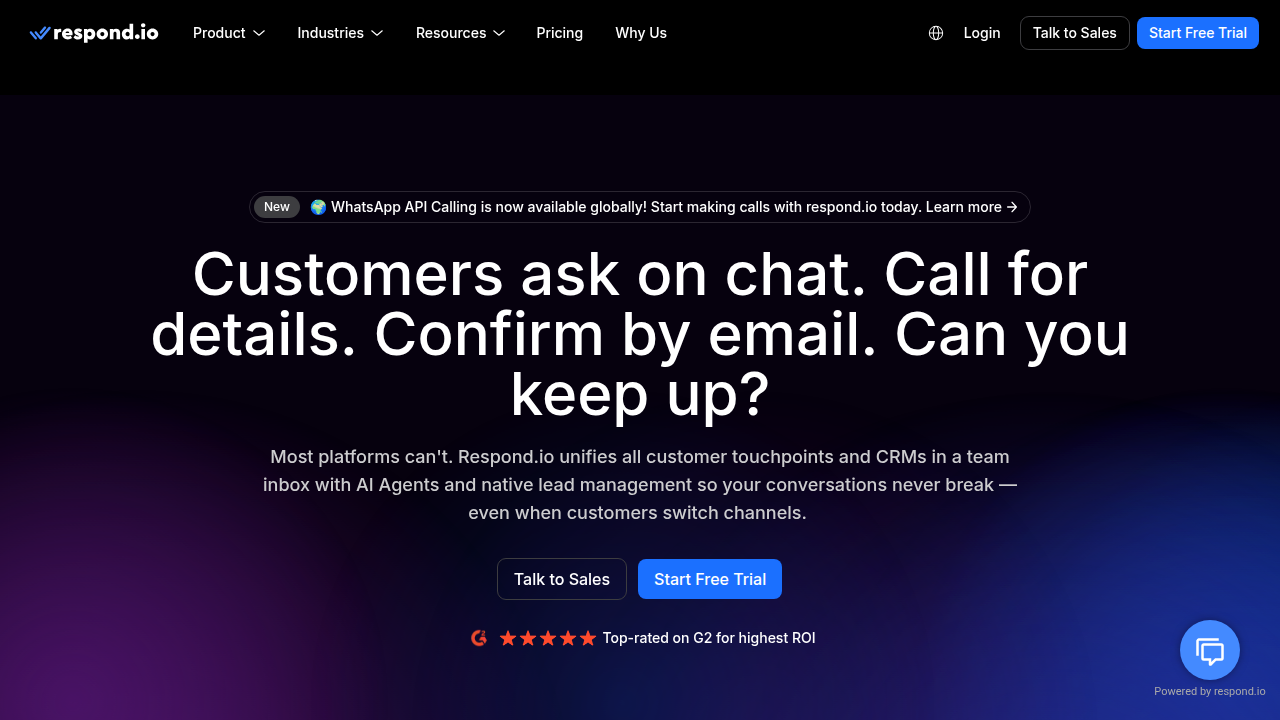
They can even help you capture information from visitors or guide them to certain parts of your page or website. For a visual guide to the top options, you can check out this video on the 5 Best Facebook Chatbots in 2026.
Connecting Your Page to Affiliate Offers
These tools are super helpful for your affiliate marketing. When you create a business page for Facebook, you want people to see your recommended products.
- Directing Traffic: A chatbot, for example, can ask a visitor what they’re interested in and then share a link to a product review or a specific affiliate offer. If someone asks about the best pet trackers, your bot could easily share your review of the
Fitbark GPS Dog Trackerwith your special affiliate link to Fitbark’s website, where they can buy it [https://www.fitbark.com/en-WW/affiliates/]. - Lead Capture: Some chatbots can also collect email addresses from people who are interested in your offers. This lets you send them more helpful information later, building a stronger connection.
- Stay Compliant: Always remember to be clear about using affiliate links. Whether it’s in a post, a chatbot message, or your "About" section, make sure people know you might earn a small commission. This builds trust and keeps your create facebook business page running smoothly within Facebook’s rules.
By using these automations, you turn your page into an efficient helper. It keeps your audience engaged and guides them toward your affiliate offers, all while saving you a lot of time. This is how you really scale your efforts after you create facebook business page.
Once you decide to create fb page for business, you’re on a great path. You’ve learned about tools to help your page grow. But even with good tools, it’s easy to make small mistakes. Knowing what these mistakes are and how to fix them will help your create business fb page stay strong and follow the rules. This is super important, especially in 2026, when many people are using Facebook for their businesses.
Common Mistakes and Simple Fixes
When you create page for business Facebook, sometimes things can go wrong. Here are some common problems and how to make them right:
- Mistake: Not telling people about affiliate links.
- Fix: Always be clear! If you share a link to a product like the
Fitbark GPS Dog Trackerand you get money if someone buys it, you must tell them. You can say "This is an affiliate link" or "I might earn a small fee if you buy this." Put this message near the link, in your post, or in your page’s "About" section. Being honest builds trust with your audience. Facebook also likes it when you are open about your links.
- Fix: Always be clear! If you share a link to a product like the
- Mistake: Only posting sales links.
- Fix: People come to your page for helpful things, not just ads. If you only share links to buy stuff, they might stop following you. Instead, share useful tips, answer questions, make fun posts, and then add your affiliate links naturally. For example, if you sell pet products, share tips on how to train a dog or fun facts about cats, and then recommend a product like the Fitbark GPS Dog Tracker. This makes your create facebook business page a helpful place, not just a storefront. Many experts agree that focusing on value helps your Facebook marketing strategy in 2026 get better results [https://www.coursera.org/articles/facebook-marketing].
- Mistake: Not talking to your audience.
- Fix: Facebook is for connecting! Don’t just post and leave. Ask questions, reply to comments, and thank people for sharing. When you engage, people feel seen, and they are more likely to come back to your create a business page for Facebook.
Handling Facebook Rules and Problems
Facebook has rules to keep everyone safe and happy. If you break these rules, your page could get a warning, your posts might be removed, or your page could even be limited [https://creators.facebook.com].
-
What to do if there’s a problem:
- Read the warning: Facebook will usually tell you what rule you broke. Read it carefully.
- Fix it fast: Take down the bad post or change it right away.
- Learn the rules: Make sure you understand Facebook’s rules, called Community Standards, so you don’t make the same mistake again. Checking Facebook’s official Creator resources can help you understand these rules better [https://developers.facebook.com].
- Appeal if it’s a mistake: If you think Facebook made a mistake, you can ask them to look again.
-
How to stop problems before they start:
- Always disclose: This is the golden rule for affiliate marketing on Facebook. Make sure your disclosures are easy to see and understand.
- Post good content: Share things that are true and helpful. Don’t make false promises about products.
- Don’t spam: Don’t post too many links too quickly, and don’t send unwanted messages to people.
- Stay updated: Facebook changes its rules sometimes. Keep an eye on their official announcements to make sure your page is always in line. This will help your create fb page for business stay safe and keep growing.
Summary
This guide shows affiliate entrepreneurs how to create and use a Facebook Business Page in 2026 to grow reach, build trust, and drive affiliate sales. It explains the key benefits of a dedicated business page—like running ads, linking directly to offers, and using professional tools—and gives a prep checklist (name, images, bio, contact, disclosure). The article walks through step‑by‑step setup, how to optimize settings and verification, and how to follow Facebook’s commerce rules when sharing affiliate links. It also covers content planning (pinned posts, reviews, how‑tos), automation options (post scheduling and chatbots), and practical tips to avoid common mistakes. After reading, you’ll be able to set up a compliant business page, publish useful affiliate content, automate routine tasks, and keep your page safe from policy issues.