
Transfer Ownership of Domain Name GoDaddy Without Losing SEO

Introduction
Did you know your domain name is one of the most valuable assets your online business owns? Think about it.

Your domain is the address customers type in to find you. It is the backbone of your brand and a key player in your SEO rankings. Messing up the ownership of that address can cost you traffic, customers, and real money.
If you are selling a website, consolidating your domains under one registrar, or managing multiple niche sites, you will likely need to learn how to transfer ownership of domain name GoDaddy at some point. It sounds simple, right? But here is the thing. Domain transfers are not like forwarding an email. They involve rules set by ICANN, the global organization that oversees domain names. ICANN requires that every domain has a verified owner, and that ownership info is stored in the WHOIS database. According to ICANN, WHOIS is a service that answers the question, who is responsible for that domain name. When you change the owner, ICANN requires specific steps to make sure the transfer is legal and secure.
Recent updates in 2025 and 2026 have made these rules even stricter to protect domain owners from fraud. So doing a domain name transfer GoDaddy the wrong way could leave you locked out of your own site or, worse, give control to the wrong person.
That is why this guide exists. I want to walk you through a clear, step-by-step approach to completing a transfer domain name GoDaddy request. You will learn exactly what it takes to change ownership safely, what ICANN rules to watch out for, and how to avoid the common mistakes that trip people up.
By the end, you will feel confident handling a godaddy transfer domain or even a transfer domain to godaddy when you need to move things around. Your domain is your digital real estate. Let us make sure you own it the right way.
Understanding Domain Name Ownership: Why It Matters for Your Online Business
You might think that registering a domain name means you own it forever. But the truth is more careful. Domain ownership is a legal and technical concept that is different from just paying the yearly registration fee. According to ICANN, a domain name registrant is the individual or entity who registers a domain name and enters into a contract with a registrar. That means you have rights and responsibilities.
When you truly own a domain, you get full control. You can point it to any hosting provider, sell it, or use it as an asset. For affiliate entrepreneurs, this matters a lot. Your domain is tied directly to your brand trust and search rankings. If your ownership records are wrong or outdated, you could lose access to your site or even have it stolen. That is why keeping your WHOIS info correct is so important.
Recent ICANN updates in 2025 and 2026 have tightened rules around verifying WHOIS data. So before you attempt a transfer ownership of domain name GoDaddy, take a moment to understand what ownership really means. Your entire online business depends on it.
Key Differences Between Registration, Ownership, and Management
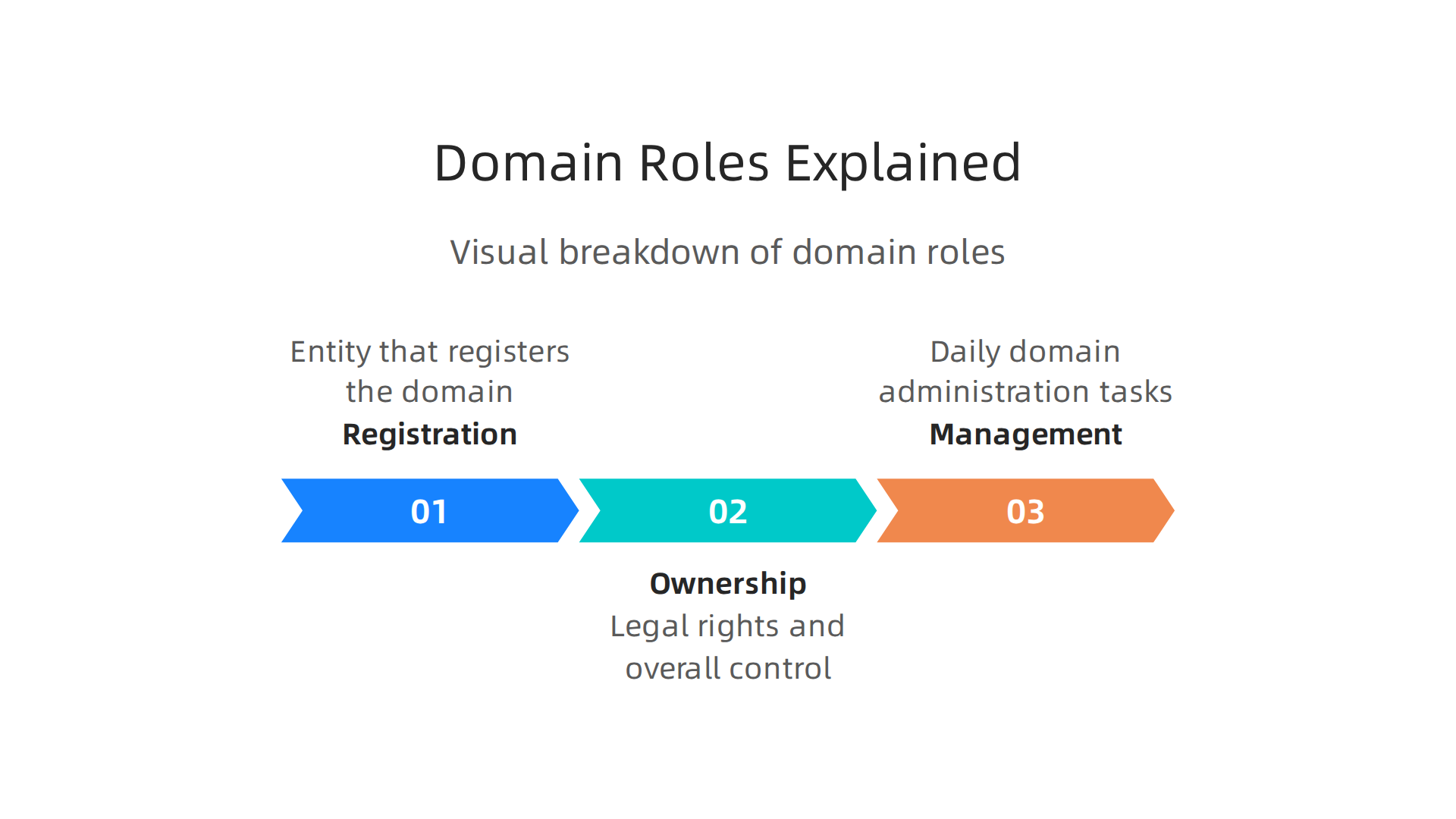
Have you ever paid for a domain and thought, “Great, I own it now”? Actually, that payment only covers registration. According to ICANN, the global organization that oversees domain names, registration is simply reserving a domain name for a set period, usually one year. It is like renting an apartment.
Ownership is different. It is the legal right recorded in the WHOIS database. The person or business listed as the registrant is the true owner. If your name is not there, you do not own the domain. ICANN’s Change of Registrant policy explains that ownership only transfers when the registrant information is updated.
Management is the day to day work. It covers things like changing DNS settings, renewing the domain, or starting a domain name transfer GoDaddy. You can manage a domain without owning it. For example, a web developer might manage your settings, but you should stay listed as the registrant.
Confusing these three roles can cause big problems. If someone else is listed as the registrant, they could transfer your domain away without your permission. That is why, before you attempt to transfer ownership of domain name GoDaddy, you need to check that you are the listed owner in WHOIS.
Always verify your registration details using an official WHOIS search tool. Keeping ownership and management separate in your mind will save you from losing your online business.
Legal and Practical Implications of Domain Ownership
Domain ownership is more than a technical detail. It is a legal asset you can sell, transfer, or even pass on to heirs.

Just like owning a car, you need the right paperwork to prove it is yours. For affiliate marketers, this matters a lot. If you run a site promoting products like Fitbark, you must be the listed owner in WHOIS. Otherwise, a partner or developer could claim your domain. That can lead to intellectual property disputes that hurt your business. In fact, affiliate marketing comes with specific legal considerations every marketer should know.
Understanding ownership is also the first step to a smooth transfer. When you plan to transfer ownership of domain name GoDaddy, you need to know who the legal owner is first. Without that clarity, the whole process can stall or fail. So before you do anything, check your WHOIS record and make sure your name is right there.
When and Why You Might Need to Transfer Domain Ownership from GoDaddy
So when does someone actually need to make this move? A few common situations pop up.
You might be selling your website. If you run an affiliate site promoting products like Fitbark and decide to cash out, the new owner needs full control. That means transferring the domain from your GoDaddy account to theirs. You might also want to switch to a different registrar that offers better support or pricing. Or maybe you’ve bought another site and need to consolidate domains under one account.
Here’s a key detail. You need a domain name transfer GoDaddy process when the owner changes, not just where the domain is hosted. If you’re selling a site, the new buyer becomes the registrant. That’s a legal ownership change, not just a technical switch.
Knowing the right timing matters. Try to transfer domain to GoDaddy (or away from it) well before your renewal date. This helps you avoid extra fees or accidental downtime. Also, disputes over domain ownership are on the rise. WIPO reported a record-breaking year for domain disputes in 2025. Getting your ownership paperwork right now can save you from legal headaches later.
A smooth transfer ownership of domain name GoDaddy process keeps your business running without interruptions.
Let’s break down the three most common reasons you’d need to transfer ownership of a domain name on GoDaddy.
Selling a website. This is the biggest one. When you sell an online business, the domain is part of the deal. The new owner needs full registrant control. For example, if you built an affiliate site promoting Fitbark products and decide to cash out, you’ll need to complete a transfer ownership of domain name GoDaddy process. This isn’t just changing the nameservers. It’s a full legal handover. And if your site earns income through partnerships, staying compliant with affiliate marketing regulations makes the sale smoother.
Changing registrars for better pricing or features. Maybe you found a new provider with lower renewal rates or better security tools. In that case, you perform a domain name transfer GoDaddy using an authorization code. This moves the domain without changing who owns it. It’s a technical switch, not an ownership change.
Merging multiple business entities. If you combine two LLCs or incorporate a side hustle, the registrant details on your domains must match your new legal name. Updating that contact info on each domain counts as an ownership change in GoDaddy’s system. You’ll need to re-verify the new registrant’s email and confirm the godaddy transfer domain details carefully.
Avoiding Pitfalls: Privacy, Security, and Domain Locking
Before you start your transfer ownership of domain name GoDaddy process, you need to know about a few common traps.
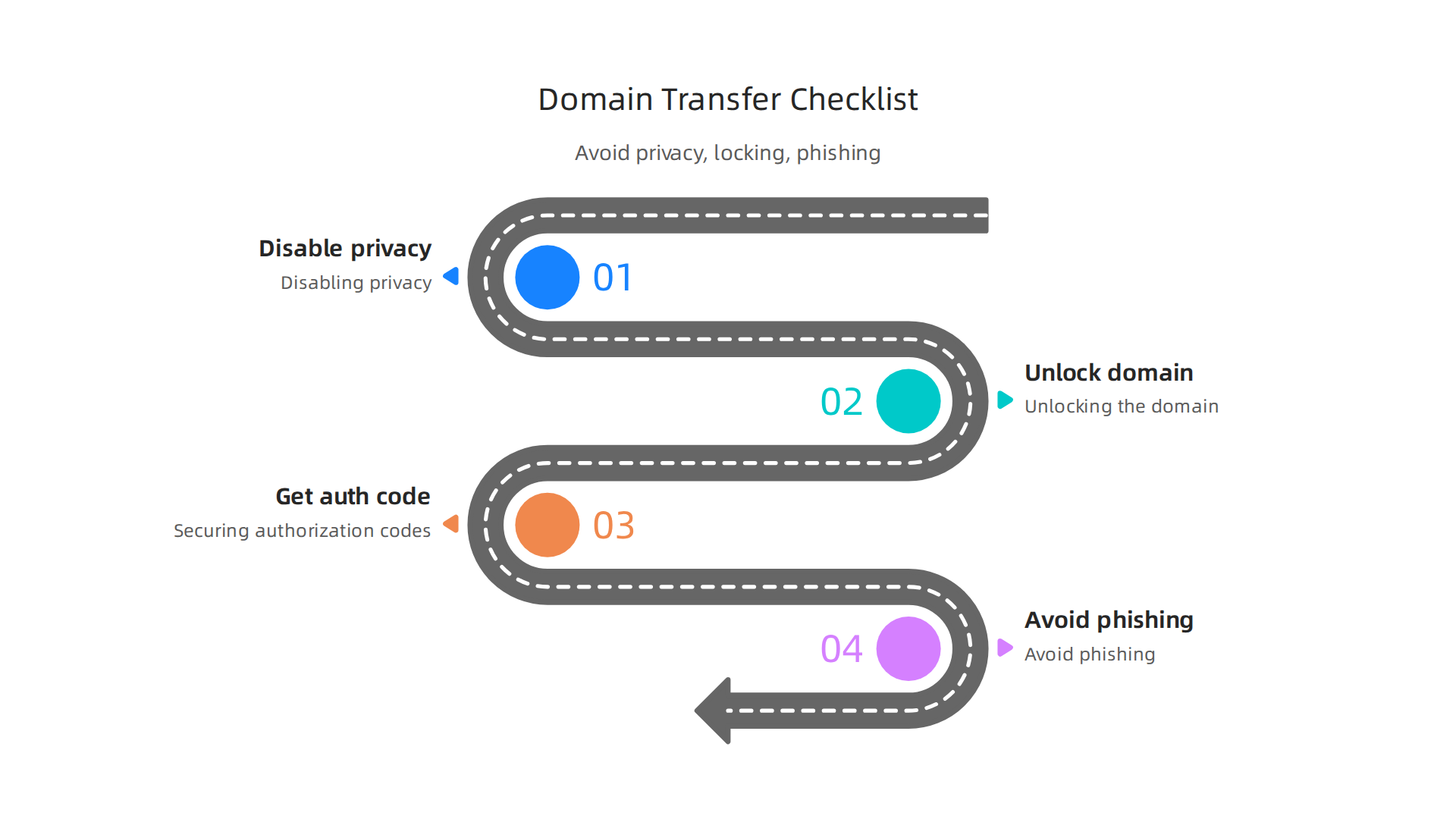
Missing these steps can stall or even break your transfer.
First, turn off domain privacy. GoDaddy’s privacy service hides your personal contact info from the public WHOIS database. That’s great for everyday use. But during a domain name transfer GoDaddy, it can block the authorization email. The new owner won’t get the code they need. So disable privacy before you begin.
Second, unlock your domain. GoDaddy locks every domain by default to prevent unauthorized moves. That’s a good security feature. But you must manually turn it off before you can complete a transfer domain name GoDaddy request. If you forget, the transfer will just sit there. Unlock it inside your GoDaddy dashboard.
Third, watch out for phishing scams. Bad actors know when domains are in transit. They send fake emails pretending to be GoDaddy support. They ask for your authorization code. If a scammer gets it, they can steal your domain. You might then need to use the UDRP process to try to get it back, which can be expensive and slow. In fact, WIPO handled a record number of domain disputes in 2025, many involving stolen names like this.
The stakes are high, especially if your domain powers an income-generating site. If you’re building an affiliate business on this domain, protecting it through every transfer step keeps your future earnings safe. And if you’re looking for quality products to promote, the Fitbark affiliate program is a great example of a partnership that benefits from a secure domain transfer.
So remember: disable privacy, unlock the domain, and keep your authorization code secret. These three steps will save you a headache.
Step-by-Step GoDaddy Domain Transfer Process
Now that you’ve handled the prep work, here is the three-phase GoDaddy domain transfer process.
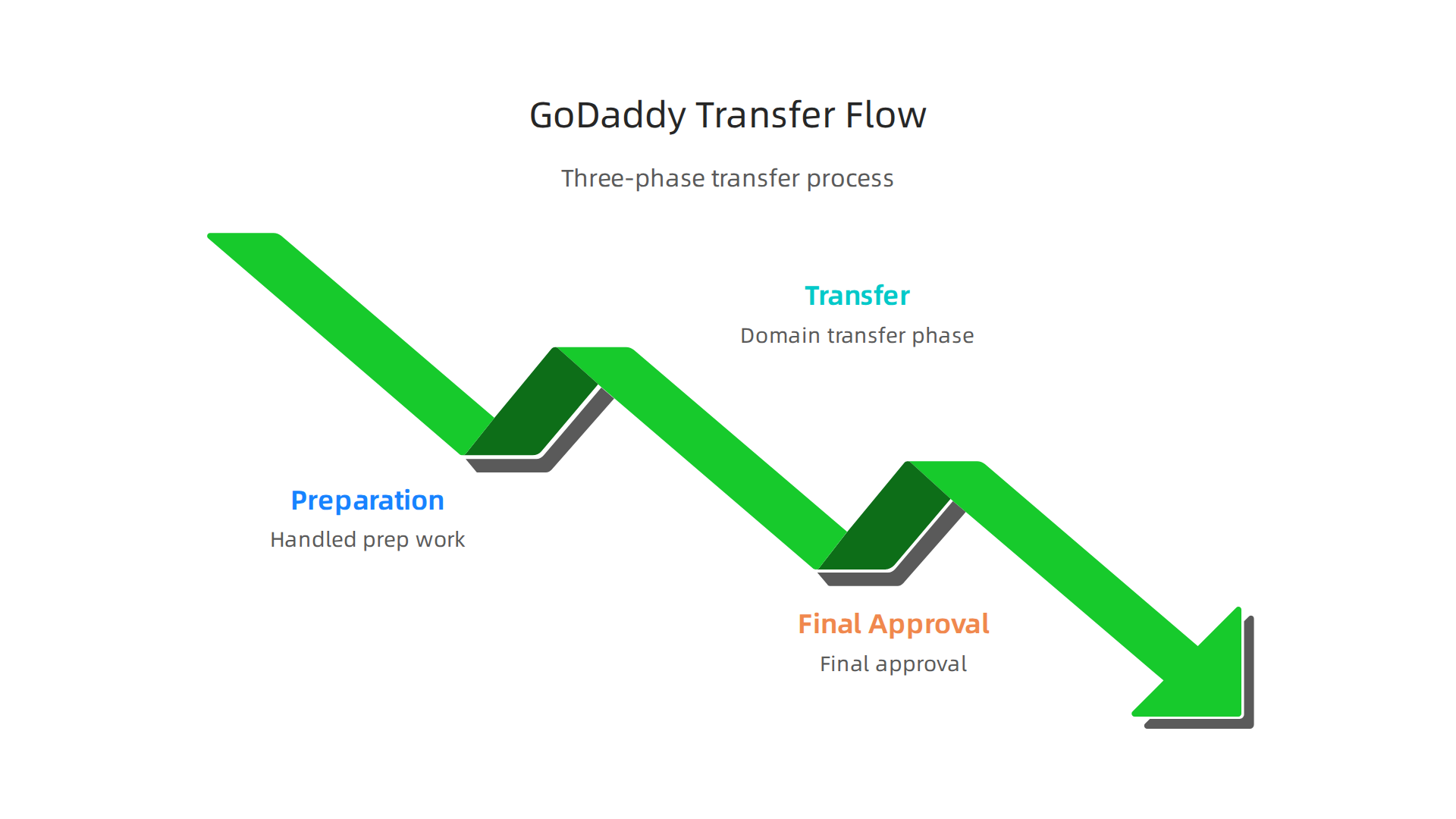
Following the correct order prevents delays and extra costs.
Phase 1: Preparation
You need the authorization code (EPP code). GoDaddy’s support page shows how to get the auth code for my domain. GoDaddy enforces a 60-day lock after a new registration or transfer, so check your domain status before starting the domain name transfer GoDaddy process.
Phase 2: Initiation
Go to the new registrar. Start the transfer and enter the authorization code for my domain transfer. This verifies your transfer ownership of domain name GoDaddy request.
Phase 3: Approval
You will get an email asking you to approve the transfer. Approving it right away prevents delays. New transfers usually take 5-7 days to complete.
Once the move is done, a great next step is choosing reliable partners to promote. The Fitbark affiliate program is one example of a trustworthy partnership that can help you generate steady income after a successful transfer domain name GoDaddy.
Preparing Your Domain for Transfer (Unlock, Get Auth Code, Disable Privacy)
Before you can transfer ownership of a domain name GoDaddy, you need to do a few things inside your GoDaddy account. Skipping any of these steps will block the transfer. Here is exactly what to do.
Step 1: Unlock your domain. By default, GoDaddy locks your domain to stop someone from stealing it. You need to turn that lock off. In your GoDaddy Domain Manager, find the domain and toggle the lock to unlock. GoDaddy’s help page shows how to unlock or lock your domain.
Step 2: Turn off domain privacy. Privacy protection hides your personal info from the public WHOIS database. But it also blocks the transfer email. So you must disable it first. The guide on transferring your domain away from GoDaddy explains how to turn privacy off.
Step 3: Get your authorization code (EPP code). This is the password your new registrar needs to start the transfer. Go to your domain settings and request the auth code. You can also export auth codes for multiple domains at once. Keep this code safe, because it expires after a few days.
Once you have the code, you are ready to start the domain name transfer GoDaddy process at your new registrar. The whole prep takes about five minutes. Do not rush through it, because a small mistake can cause delays.
Initiating the Transfer with GoDaddy and Receiving Registrar
Now that you have your auth code in hand, it is time to start the transfer ownership of domain name GoDaddy process at your new registrar. This part is actually pretty simple.
Go to your new registrar’s website and find the transfer section. You will need to enter your domain name and the authorization code you got from GoDaddy. That code is the password that proves you own the domain. The GoDaddy help page on entering auth codes shows how this works on their side too, but the same idea applies at any registrar.
Once you submit the code, the real transfer begins. GoDaddy will send an email to the domain registrant (that is you) asking you to approve the move. You must click that approval link. If you skip this step, the whole domain name transfer GoDaddy process stalls.
Expect everything to take about 5 to 7 days to finish. That sounds long, but there is a reason. You get a 5 day change of mind period where you can cancel the transfer if something goes wrong. The GoDaddy auth code page confirms this timeline.
So the steps are quick: enter your domain and auth code, approve the email, and wait a few days. That is it. You are on your way to owning your domain elsewhere.
Approving Transfer and Confirming Ownership Change
After you start the transfer, GoDaddy sends an approval email to the registrant contact. You must click the link in that email or log in to your GoDaddy account to confirm you want to move the domain. If you skip this step, the transfer will not proceed, and your domain name transfer GoDaddy request will expire. The GoDaddy help page on transfer authorization explains this clearly.
Once you approve, the receiving registrar finalizes the transfer and adds your domain to your account. This usually happens within a few days. After that, you need to update your DNS settings to point to your new host or website. Use the DNS management tools at your new registrar. Also check that your website and email still work. Following best practices for a smooth migration is key. This step ensures you actually complete the transfer ownership of domain name GoDaddy successfully.
Ownership Strategies for Affiliate Entrepreneurs Managing Multiple Domains
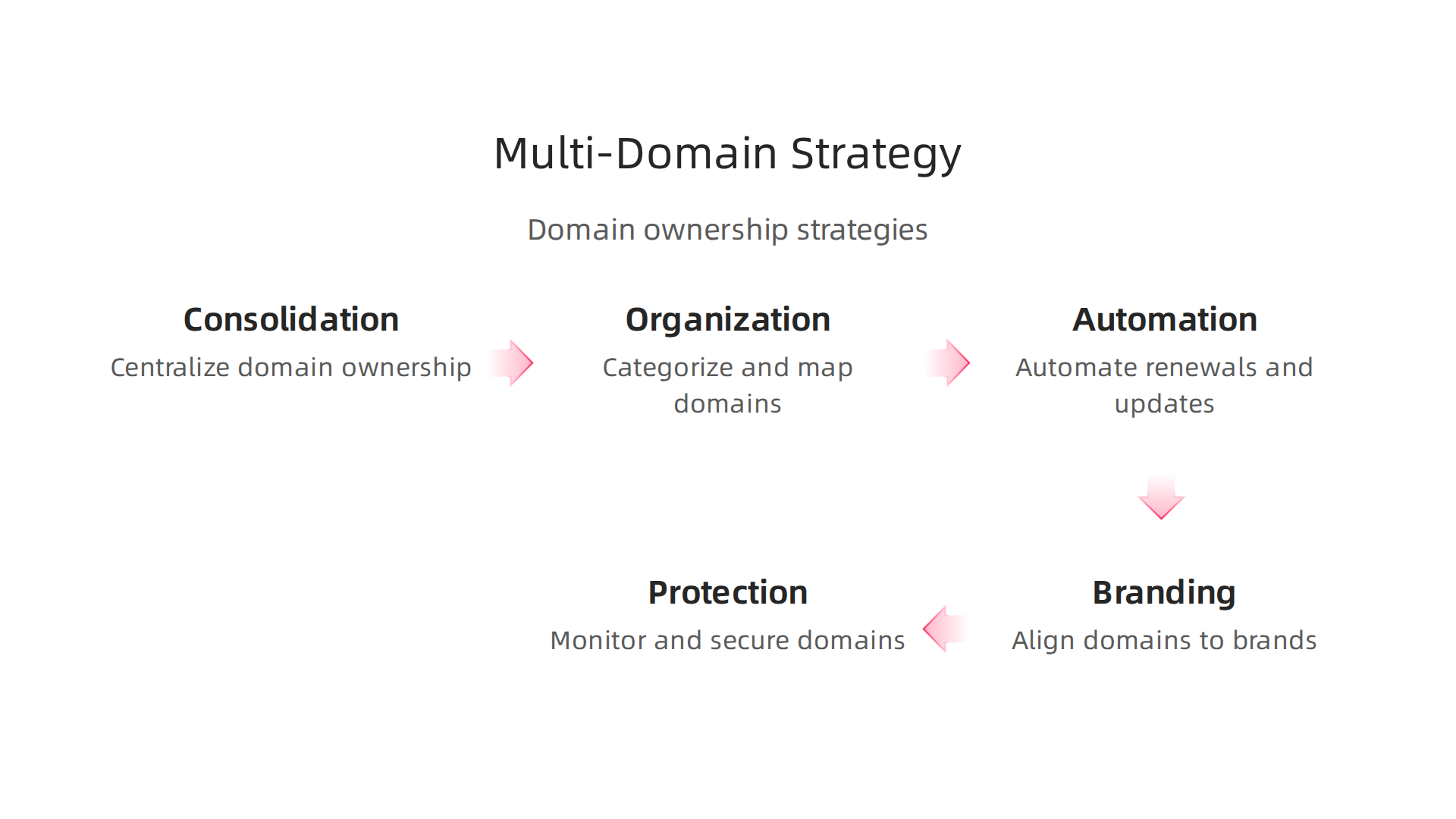
After you transfer ownership of domain name godaddy for one site, you might realize you have a bigger challenge. affiliate entrepreneurs often juggle multiple domains across different niches. Here is how to stay organized.
First, think about consolidating registrars. Keeping all your domains in one place simplifies management and reduces oversight. You can see renewal dates and DNS settings from a single dashboard. This saves you from missing an important domain name transfer godaddy update later.
Second, know that using separate domains for each niche can improve SEO targeting. Each site gets its own focus and authority. But this setup increases complexity. You now have more accounts, passwords, and renewal dates to track. The extra work is worth it if each site targets a different audience.
Third, automate what you can. Set up automatic renewals and ownership verification. This one move saves time and prevents accidental expiration. Many affiliate marketers use marketing automation tools to handle repetitive tasks like this. According to Affiverse, using the right tools helps you build a tech stack that works while you sleep.
The goal is simple. After you complete a transfer domain name godaddy, apply these strategies to keep your portfolio healthy and growing.
Centralizing Domain Management with Registrar Consolidation
After you transfer ownership of domain name godaddy for one site, you might still have domains scattered across three or four different registrars. That means multiple logins, different renewal dates, and a higher chance of missing something. The fix is simple: move all your domains to one trusted registrar.
Consolidation cuts down the administrative overhead. You get a single dashboard where you can see all your godaddy transfer domain settings, DNS records, and renewal dates. One invoice replaces several. This makes it much easier to manage a domain name transfer godaddy or any other update across your portfolio.
When you pick a registrar to consolidate into, look beyond the initial transfer fee. Compare privacy costs, renewal prices, and any added features. Some registrars offer bundled privacy protection or discounts for multiple domains. Others might charge more after the first year. Being picky now saves you money down the road.
With your domains under one roof, you spend less time hunting for passwords and more time building your affiliate business. That extra mental space lets you focus on picking and promoting quality products. For example, if you run a pet niche site, you could recommend something like Fitbark to your audience, all while knowing your domain renewals are handled without stress.
Using the right tech stack makes this even smoother. According to Affiverse, building a set of automation tools helps you manage repetitive tasks so your affiliate sites run with less hands‑on work. Consolidating your registrars is the first step toward that efficient setup.
Using Subdomains vs. Separate Domains for Different Niches
Now that your domains are all in one place, you need to decide how to structure them for each niche. Should you use subdomains or buy separate domains? Here is the breakdown.
Separate domains give you full control. Each site can have its own brand, its own SEO authority, and its own look. If you run a pet site and a tech site, keeping them separate lets you target different audiences without confusion. The downside is cost. Each domain adds a renewal fee. You also need to handle legal disclosures for each site. Following affiliate marketing compliance rules means having clear privacy policies and disclaimers on every domain. That is more work, but many affiliates prefer the flexibility.
Subdomains, like pets.yourmaindomain.com, are cheaper and easier. You manage everything under one roof. But here is the catch. Subdomains share the main domain’s authority, so your pet niche does not build its own independent SEO power. For some niches, that is fine. For others, it holds you back.
Most affiliate entrepreneurs with multiple micro-niches choose separate domains. The extra cost is worth the freedom. For example, if you promote a product like Fitbark on a separate pet domain, you build a focused brand that ranks better on its own.
If you decide to start fresh with a new niche, remember you may need to transfer ownership of domain name Godaddy to your consolidated registrar first. That way everything stays simple and under your control.
Automating Renewals and Ownership Verification
After you submit a transfer ownership of domain name Godaddy request, do not stop there. You need to protect your domains from expiring or falling into the wrong hands. Losing a domain means losing your traffic and commissions.
First, turn on auto-renew for every domain. This is the simplest way to stop an accidental lapse. If you just finished a domain name transfer GoDaddy process, confirm that auto-renew is active in your new account.
Second, use domain management tools. These tools send you reminders and track all your expiration dates in one dashboard. According to a 2026 guide from Voluum, the best affiliate marketing tools help you monitor important assets. Your domains are some of your most valuable assets.
Third, verify your WHOIS contact information regularly. Your email and phone number must be current. During a transfer domain name Godaddy migration, double check that your contact details moved correctly. Wrong info can cost you the domain.
A secure domain protects your income. For example, if you promote the Fitbark affiliate program on a separate pet site, you rely on that domain staying active and in your name. Automate your renewals and verify your ownership to keep your revenue safe.
Protecting Your Domain Assets: Security and Legal Considerations
After you complete a transfer ownership of domain name Godaddy request, protecting that asset becomes your next job. Start with domain privacy. WHOIS protection hides your personal contact info from the public. This helps prevent spam and identity theft. Next, be aware of trademark issues. If your domain name is too similar to a registered trademark, you could face a legal dispute. The Uniform Domain Name Dispute Resolution Policy (UDRP) is an administrative process that trademark owners can use to challenge your domain registration (source: Michael Best). In fact, 2025 marked a record-breaking year for WIPO domain disputes (source: WIPO). If someone steals your domain or it expires, act fast. You can file a UDRP complaint to try to recover it (source: Rome LLP). For example, if you promote the Fitbark affiliate program on a pet site, losing that domain means losing that income stream. A few minutes of legal care now saves you major headaches later.
Domain Privacy and WHOIS Protection
You just finished a transfer ownership of domain name godaddy request, but your work is not done yet. Your personal contact info is now in a public database called WHOIS. Anyone can look it up.
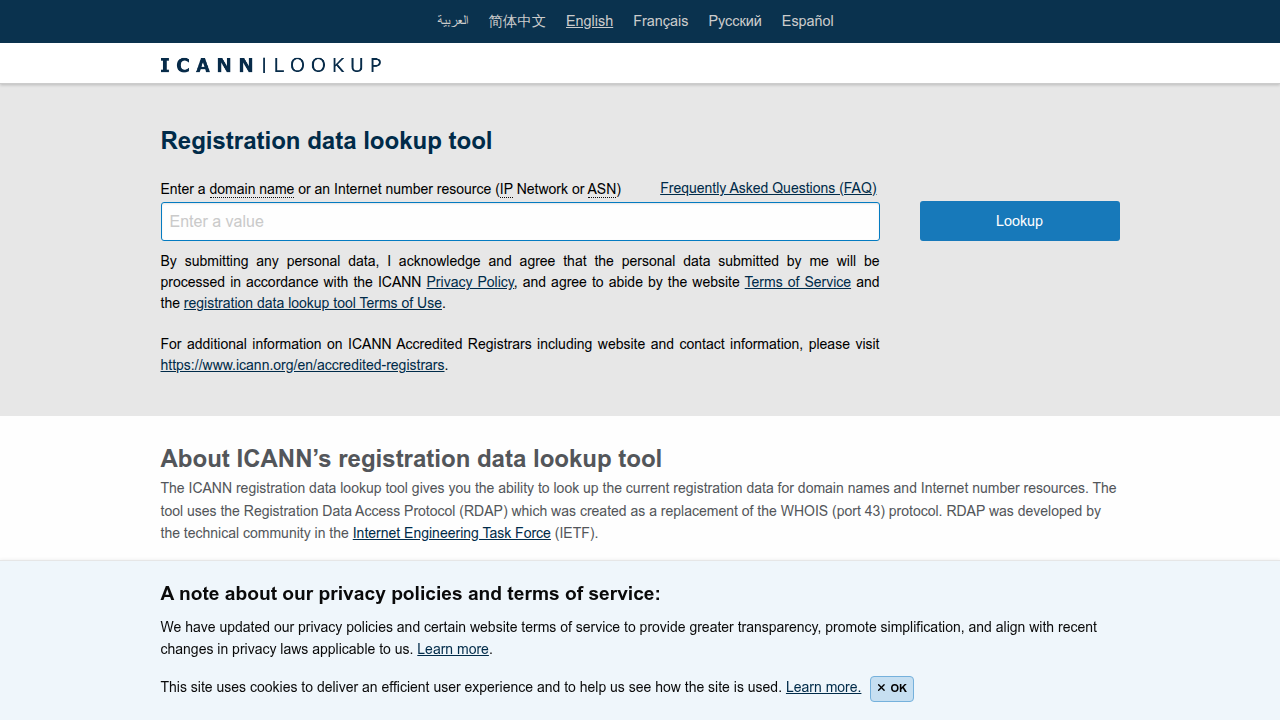
That means spammers, scammers, and even domain thieves can get your name, address, email, and phone number in seconds.
That is where WHOIS privacy comes in. This service hides your personal details from the public. Instead, the registry shows generic info or the privacy provider’s data. Most registrars, including GoDaddy, offer this feature. Sometimes it is free, sometimes it costs a few bucks a year. Either way, it is worth it.
Here is one catch. When you do a domain name transfer godaddy from one registrar to another, you may need to disable WHOIS privacy first. The transfer process often requires your contact info to be visible for verification. Once the transfer is complete, you can turn privacy back on.
Domain theft is real. If someone steals your domain, you could lose your entire online business. That includes any affiliate income you earn, like the money you make promoting the Fitbark affiliate program. Recovering a stolen domain often requires filing a legal dispute, which is a headache you want to avoid. As Rome LLP explains, quick action and proper protection are your best defenses against domain theft (source).
So the simple rule is: keep your WHOIS privacy on by default. Only turn it off when your transfer domain to godaddy process demands it. Then switch it back on right away. A few minutes of settings now saves you weeks of stress later.
Trademark and Intellectual Property Concerns
Here is a mistake that costs a lot of people their domain. You pick a name that includes a trademark you do not own. Maybe you buy a domain with a brand name in it thinking it will help your traffic. Or you register a name that sounds too close to a known product. Either way, you could face a legal dispute. If a trademark owner files a complaint through the Uniform Domain Name Dispute Resolution Policy (UDRP), you could lose the domain and your investment. In 2025, WIPO recorded a record number of these cases (source). So do not skip the research.
Before you register a domain for affiliate purposes, run a quick trademark search. The United States Patent and Trademark Office (USPTO) has a free database. It takes five minutes and saves you from a headache later. If you are buying a domain from someone else and it already has a brand attached, make sure the sale includes a written agreement that transfers any related intellectual property. Otherwise, you might own the domain but still have no right to use the name. That is a trap you want to avoid when you complete your transfer ownership of domain name godaddy process.
Recovering Stolen or Expired Domains
Even after a clean transfer ownership of domain name godaddy, trouble can still find you. A stolen domain is one of the worst surprises. Someone gains access to your account and moves your domain without permission. Maybe they tricked your registrar or guessed your password. Either way, speed matters.
Contact your registrar immediately. Tell them the transfer was not authorized. Most registrars can lock the domain and start an investigation. You can also file a dispute through the Uniform Domain Name Dispute Resolution Policy (UDRP). ICANN created this system to solve domain fights fairly (source). For urgent cases like phishing or fraud, WIPO offers an expedited UDRP process that works faster than the standard route (source).
Expired domains are a simpler problem. Most registrars give you a redemption period of about 30 days after your domain expires. Pay a small fee and you get your domain back. After that window closes, anyone can buy it at auction. So enable auto-renewal on your account today. It is much easier than trying to complete a domain name transfer godaddy after someone else already owns your name.
Common Mistakes and How to Avoid Them During Domain Transfer
Transferring a domain sounds simple, but small mistakes can cause big headaches. Website downtime, email interruptions, and losing search rankings happen more often than you think.

Here is the thing: many people forget to plan for DNS propagation timing. When you transfer ownership of domain name godaddy to another registrar, your DNS settings need time to update across the internet. During that window, your site may load slowly or not at all. To avoid this, reduce your DNS TTL (time to live) a few days before the transfer. This cuts propagation delays (source).
Another common error is skipping a full backup. Before you start a domain name transfer godaddy or any registrar move, back up your website files, databases, and emails. If something goes wrong, you lose everything. A proper backup keeps you safe.
Finally, do not forget to keep your old domain active with redirects for at least 6 to 12 months so Google can follow the links and preserve your rankings (source). A little planning goes a long way.
Timing Issues and DNS Propagation Delays
We touched on DNS timing in the last section. Let’s dig deeper into why timing is so critical when you transfer ownership of domain name godaddy or move it to another provider. Whether you are handling an outgoing move or finalizing a domain name transfer from godaddy, the DNS rules stay the same.
Here’s the thing: DNS changes can take up to 48 hours to fully update across the internet.

During this window, some visitors see the old server, and others see the new one. That split can cause site errors or even security warnings. According to DreamHost, these delays often lead to drops in organic traffic and confused customers who cannot reach your site (source).
So how do you prevent this? You need a solid timing plan.
First, always schedule your transfer during a low traffic window. Late at night or over a weekend gives you a buffer if something goes wrong.
Second, lower your TTL (Time to Live) a few days before the move. A low TTL tells DNS servers to check for updates more often. This single step cuts down propagation delays significantly (source).
Third, use a staging or temporary URL to test your new setup before pointing your live domain. This lets you fix broken links and missing images without pressure.
While you wait for full DNS propagation, use that time wisely. If you run an affiliate site, get your monetization plan ready so you can earn right away. The Automated Affiliate Method helps you structure everything for launch. Even checking out specific niche offers, like the Fitbark affiliate program, can help you prepare your content in advance. Take a look at the Fitbark affiliate program to see if it fits your audience.
Email and Website Downtime
One of the biggest headaches after a domain name transfer from GoDaddy is losing your email. Imagine your customers sending inquiries to an address that just bounces back. That can happen if your MX records don’t come along for the ride.
Here’s what you need to know. The email linked to your domain depends on specific DNS records called MX records. When you transfer ownership of domain name GoDaddy, those records often need to be manually recreated at your new provider. If you skip this step, your inbox goes silent. For a smooth outgoing transfer, first unlock your domain in GoDaddy and get your authorization code (source). Then immediately set up your email records at the new registrar before pointing traffic to it.
Your website needs the same care. Always back up all content, databases, and images. Pre-configure your DNS records at the new registrar before the transfer finishes. Use a staging URL to test everything.
After the transfer, test both email and website right away. Send a test email. Load a few pages. Check forms and links. If something is broken, you can fix it before visitors notice.
While you handle these technical details, use your downtime to prepare your content strategy. The Automated Affiliate Method helps you structure affiliate content for launch. Exploring offers like the Fitbark affiliate program can give you ready-to-publish content ideas. That way when your site goes live, you are ready to earn.
Losing Domain History and SEO Equity
You have spent months (maybe years) building your site’s reputation with search engines. A sloppy domain transfer can wipe all that out in days. Here’s the thing: search engines like Google treat a transferred domain like a new site if the setup is wrong. That means lost rankings and less traffic.
The fix? Proper 301 redirects. They tell Google that your old pages have moved permanently to the new location. This passes link equity from your old site to the new one (source). Also, keep the same URL structure. If your old blog post lived at /blog/affiliate-tips, keep it at that exact path. Changing URLs breaks the redirect chain and confuses readers.
A smooth domain name transfer from GoDaddy requires you to plan these redirects before you move. Test them after the transfer to catch broken links. It takes time for Google to process the change. Most sites see ranking shifts for 4-8 weeks, with full stabilization in 2-4 months (source). Keep your old domain active for at least 6 to 12 months so Google can follow the redirects (source).
Also reconfigure your analytics. Verify your domain in Google Search Console and update property settings. Reconnect Google Analytics with the new provider. Without this, you will miss data on how your traffic bounces back.
Once your site stabilizes and the search rankings are solid, it is the perfect time to start earning from your content. Programs like the Fitbark affiliate program give you ready-to-promote products that match common audience interests. That way your restored SEO equity turns into real income.
Tools and Services to Simplify Domain Ownership Management
Managing multiple domain names by hand can get messy fast. You have renewals, transfers, and settings to track across different registrars. One missed date and your site goes dark. That is why smart entrepreneurs use tools to handle the load.
Third-party services let you monitor, renew, and transfer your domain name transfer godaddy process in bulk. They send reminders before expiration and push updates to your calendar. Some platforms even connect to your registrars and automate the whole flow. The best affiliate marketing automation tools for 2026 give you this kind of control.
Registrar comparison sites help you choose the right provider for your portfolio. You can compare pricing, support, and transfer policies side by side. That way you do not get stuck paying more than you need to or dealing with slow support.
Automation reduces human error and saves time. When you set up automated renewal reminders and bulk transfer workflows, you cut out the risk of forgetting a step. Many of the top marketing automation platforms in 2026 can integrate with domain management tools to create a single dashboard for your online assets.
Once your domains are organized and running on autopilot, shift your focus to growth. Consider the Fitbark affiliate program as a way to start monetizing your traffic without extra manual work.
Registrar Comparison: GoDaddy vs. Namecheap, Google Domains, and Others
When you are ready to transfer ownership of domain name GoDaddy, picking the right registrar for your domain matters. Each platform has strengths. Here is how popular options stack up.
GoDaddy offers wide integration with many tools and services. The process for a domain name transfer GoDaddy is straightforward. But watch out for higher renewal rates on some domain types. Always compare fees before you commit.
Namecheap is a favorite for budget-conscious owners. It includes free WHOIS privacy and competitive pricing.
Many people choose to transfer domain name GoDaddy to Namecheap to save money and keep their contact details private.
Google Domains (now run by Squarespace) integrates nicely with Google services. The setup is simple if you already use Google tools. Renewal rates are fair, and the control panel is clean.
No matter which registrar you pick, you can make your workflow easier by using automation tools. Services like those listed in the Affiverse guide to marketing automation can help you manage renewals and transfers across your portfolio. That way you spend less time on manual tasks and more time growing your business.
Domain Management Platforms and Bulk Transfer Tools
Managing a handful of domains is one thing. But once you transfer ownership of domain name GoDaddy and start building multiple sites, things get messy fast. That is where domain management platforms come in.
Tools like DNSimple or Cloudflare Domains do more than store your domains. They offer advanced DNS management and automation features. For example, you can update nameservers across all your domains in one click. That saves hours of manual work.
Bulk transfer tools are another lifesaver. Instead of moving one domain at a time, you can transfer domain name GoDaddy properties in batches. A domain name transfer GoDaddy bulk option lets you handle multiple transfers simultaneously. That means less downtime and fewer headaches. If you regularly godaddy transfer domain names, these tools let you focus on growing your business instead of wrestling with individual transfers.
Better yet, many of these platforms connect directly with marketing automation software. This creates a smooth pipeline from domain setup to content promotion. For a deep dive into systems that work while you sleep, check out this guide to affiliate marketing automation tools from Affiverse.
Once your domains are organized and automated, you can turn your attention to monetization. If you are building sites in the pet niche, for instance, you can promote quality products through the Fitbark affiliate program. That way your automated workflow generates commissions with less hands-on effort.
Summary
This guide explains why domain ownership is a critical business asset and walks you through transferring a GoDaddy domain safely and legally. It clarifies the differences between registering, owning, and managing a domain, then covers common reasons to transfer—selling a site, consolidating registrars, or changing legal entities. You’ll get a clear, phased checklist: prepare by unlocking the domain, disabling privacy, and requesting the authorization (EPP) code; initiate the transfer with the receiving registrar; and approve the move via the confirmation email. The article also highlights common pitfalls—phishing, locked domains, DNS delays, email interruptions, trademark risks—and offers practical steps to minimize downtime, preserve SEO, automate renewals, and recover stolen or expired domains so your site and revenue stay protected.