
n8n Hosting for Affiliate Marketers Self-Hosted vs Cloud Guide

Introduction
Do you spend your mornings copying the same affiliate links into different platforms? You write a blog post. You share it on social media. You update a spreadsheet. Then you do it all over again tomorrow.
That is the manual way. And in 2026, it is also the slow way.
n8n is an open source automation tool that can handle those repetitive tasks for you.
It connects your apps, moves data between them, and runs workflows without you touching a button. Affiliate marketers use n8n to automate things like partner onboarding, content publishing, and outreach. One workflow can take a product link, write an AI description, and post it to Facebook automatically.
But here is the catch. n8n needs a home. That home is your hosting provider. And your choice of n8n hosting determines how fast your automations run, whether they stay online when traffic spikes, and how easily you can grow.
Maybe you are comparing providers like GoDaddy, A2 Hosting, or Namecheap hosting with cPanel. Maybe you are wondering if a managed solution is worth the cost. It is easy to feel lost when every option sounds the same.
This guide will help you sort it out. We will look at self-hosted, cloud, and managed hosting specifically for n8n focused on affiliate marketing. You will learn what to look for and what to avoid. The right host keeps your automations running and your commissions coming.
Your hosting decision is one piece of a bigger system. A proven affiliate marketing system that includes niche selection, content strategy, and automated growth workflows can turn your efforts into a repeatable income stream.
Let us start with why automation matters so much for affiliate marketers in 2026.
Why n8n Is a Game‑Changer for Affiliate Marketers
You already know the pain of copying links and juggling tabs. But here is what most affiliates miss. n8n turns those boring tasks into automated workflows that run while you sleep.

Think about it. You sign up for a new affiliate program. You get the link. You need to write a post, share it on Facebook, send it to your email list, and track the clicks. That is four steps you do by hand. With n8n, you connect those tools once and the work happens on its own.
n8n is an open source tool that plugs into your email, CRM, social media, and just about anything with an API. Affiliate marketers use it to automate partner onboarding, content publishing, outreach, and analytics. No coding required. You just drag and drop the apps you already use.
Here are some real ways n8n helps affiliates save time:
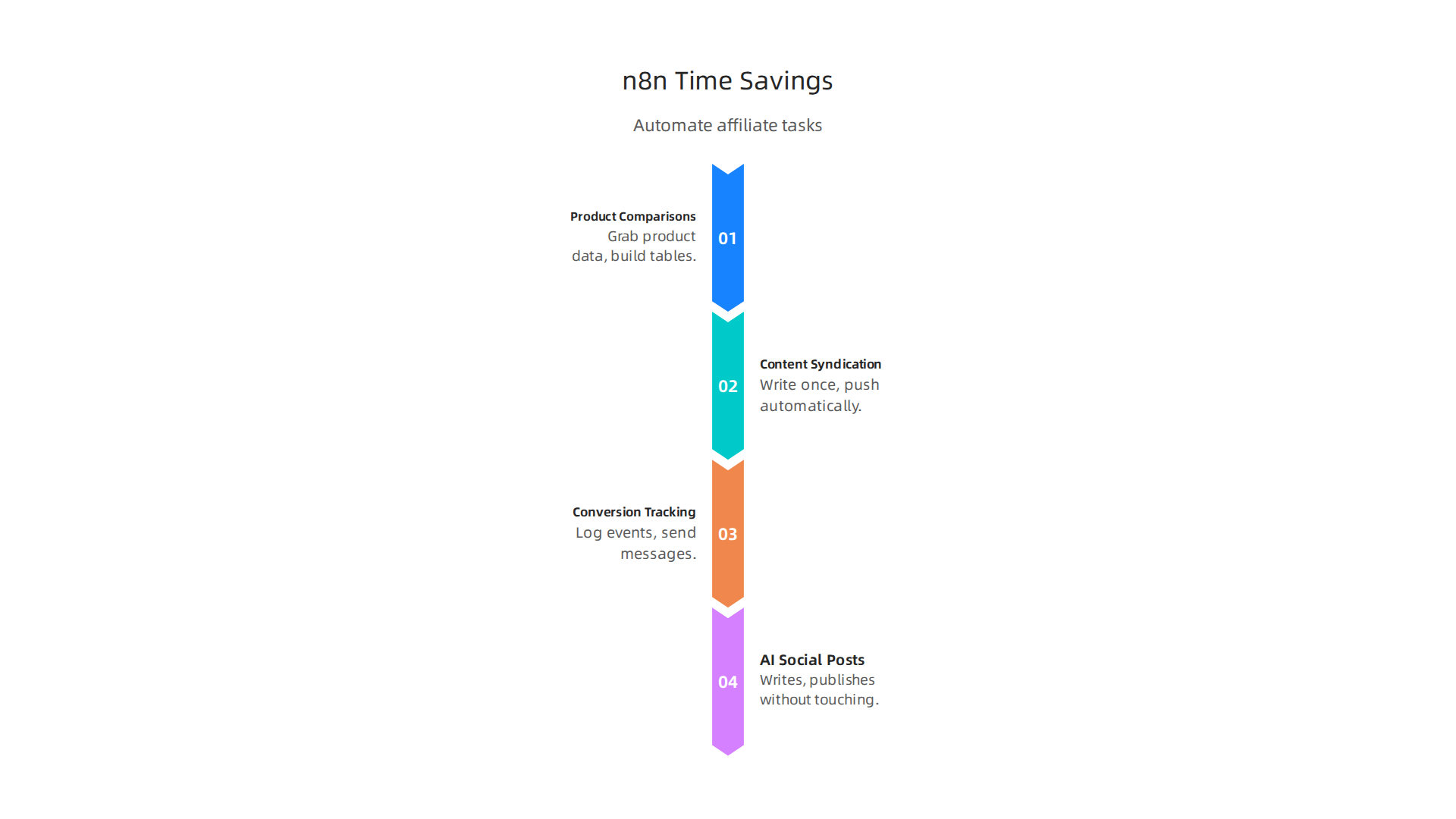
- Automated product comparisons. Grab product data from Amazon or your affiliate network and build comparison tables without copying and pasting.
- Content syndication. Write a blog post once, and n8n pushes it to your social channels and email newsletter automatically.
- Conversion tracking. When someone clicks your link, n8n can log the event in Google Sheets and send you a message. No more manual spreadsheets.
- AI-generated social posts. One popular workflow takes an Amazon product link, writes an engaging Facebook post using AI, and publishes it without you touching a button.
As one expert put it, n8n can replace tools like Zapier for many marketing tasks, especially when you need complex branching and API-first integrations. Start with a concrete use case like lead routing or data synchronization, and build from there.
There are already over 3000 marketing workflow templates shared by the n8n community. You do not have to start from scratch. Explore the library of ready-made automations and find one that fits your business.
Now here is the catch. All these workflows need a home. Your n8n hosting provider directly controls how fast your automations run and whether they stay online when traffic spikes. A slow or unstable host can break a workflow that was supposed to run on autopilot. That is why choosing the right hosting matters so much.
If you want to build a complete system that includes these automations along with niche selection and content strategy, check out the Automated Affiliate Method for a step-by-step framework.
Your hosting choice. Your uptime. Your commissions. They are all tied together.
Anatomy of n8n Hosting Options in 2026
You now know that your host can make or break your automations. So what are your actual choices in 2026? The truth is, there is no single "best" option. It depends on your budget, your technical comfort, and how much control you want.
Let me break down the three main paths.
Self-hosted on a VPS with Docker
This is the route most serious affiliates take. You rent a virtual private server, install Docker, and run n8n inside a container. A solid cheap VPS for n8n hosting can cost as little as $3 to $7 per month. Compare that to n8n Cloud which starts at $24 per month for just 2,500 executions. With self-hosting, you get unlimited executions and full data privacy.
The catch? You need some technical skills. You have to manage the server, keep it updated, and handle backups. A guide like Contabo’s walks you through the whole Docker setup, but it still takes a few hours.
Cloud-managed services
If you do not want to touch a command line, cloud options exist. n8n.cloud is the official managed service. Railway and Heroku also offer one-click deploy options. These services handle maintenance for you. But they cost more per month, and you share resources with other users. For a small affiliate setup with 2500 executions or fewer per month, n8n Cloud might be the easiest way to start.
Hybrid approaches
This is where the smartest solopreneurs live. You get a pre-configured managed VPS that already has n8n installed. OpenHosst offers a managed n8n VPS for $2.99 per month. You skip the 4 to 6 hours of setup and maintenance. The server manages itself, but you still own the underlying infrastructure.
A hybrid setup gives you the control of self-hosting without the headache. It is the sweet spot for affiliates who want flexibility without complexity.
If you are still unsure which path matches your business model, the Automated Affiliate Method complete framework includes a guide to matching your hosting choice to your niche and traffic goals.
Choose the option that lets you sleep at night. Your automations will thank you.
Self‑Hosted n8n: Full Control with Docker on a VPS
So you want total control over your n8n hosting? Self-hosting with Docker on a VPS is the route that serious solopreneurs take. It gives you the most flexibility, the lowest cost, and complete data privacy. But it also requires some technical work.
Here is how it works step by step.
Step 1: Choose a VPS provider
You need a virtual private server. Popular options for n8n hosting include DigitalOcean, Linode, and AWS Lightsail. A good starting point is a server with 2 vCPUs and 2 to 4 GB of RAM. That handles typical affiliate automation loads without breaking a sweat. Check out a best cheap VPS for n8n hosting comparison to see what fits your budget. Prices start around $3 to $7 per month.
Step 2: Install Docker on your server
Most VPS providers let you choose an operating system during setup. Pick a recent Linux distribution like Debian 12 or Ubuntu 24.04. Then you connect via SSH and run a few commands to install Docker. A detailed guide from Contabo’s self-hosting n8n guide walks you through each command. It usually takes about 20 minutes if you follow along.
Step 3: Deploy the n8n container
Once Docker is installed, you pull the official n8n image and run it as a container. You can mount a local folder for data persistence and set environment variables for custom domains or authentication. This is where you configure your setup exactly the way you want it.
Step 4: Set up a domain and SSL
You can use a custom domain instead of an IP address. Point a domain you own to your server, set up Nginx or Caddy as a reverse proxy, and add a free SSL certificate from Let’s Encrypt. This makes your n8n instance look professional and secure.
The pros
- Low cost: Self-hosting costs $3 to $7 per month compared to $24 per month for n8n Cloud with limited executions.
- Unlimited executions: No caps on how many workflows you run.
- Full data ownership: Your data stays on your server.
- Custom domains: Use your own affiliate brand domain.
The cons
- Manual updates: You have to update the Docker container yourself when new n8n versions come out.
- Security overhead: You manage firewall rules, backups, and server monitoring.
- Technical skill required: You need to be comfortable with the command line.
Some providers make this easier. Hostinger offers a preconfigured VPS template with n8n ready to deploy. That can cut your setup time from hours to minutes. If you are used to cPanel hosting or hosting GoDaddy, this will feel different. But it is not as hard as it sounds.
For a production setup that reduces manual work, consider a managed VPS from a provider like OpenHosst. They handle the maintenance so you can focus on your affiliate marketing system that scales without burning you out.
Recommended VPS specs
To keep your automations running smoothly, here is what you need.
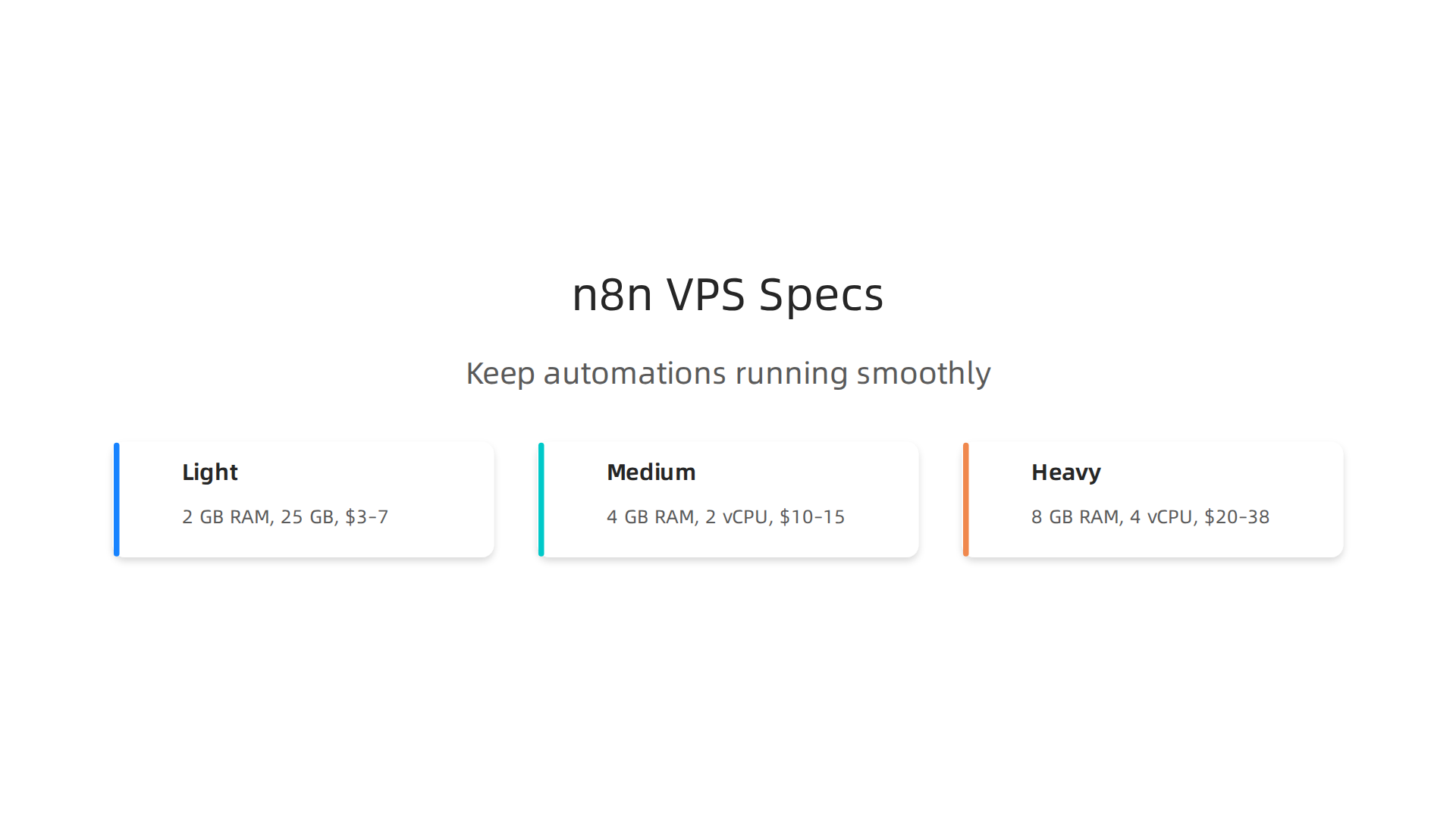
| Usage level | RAM | vCPU | Storage | Monthly cost |
|---|---|---|---|---|
| Light (1-3 workflows) | 2 GB | 1-2 | 25 GB | $3-$7 |
| Medium (3-10 workflows) | 4 GB | 2 | 50 GB | $10-$15 |
| Heavy (10+ workflows) | 8 GB | 4 | 100 GB | $20-$38 |
A best VPS for n8n guide from MassiveGrid confirms that 2 GB RAM and 2 vCPUs is the sweet spot for most affiliate setups.
Self-hosting is not for everyone. But if you want the lowest cost and maximum control, it is the way to go. You own every piece of the stack, and that peace of mind is worth the effort.
Cloud-Hosted n8n: The Set-and-Forget Approach
Self-hosting is great if you love tinkering with servers. But what if you just want your automations to run without touching a command line? That is where cloud-hosted n8n comes in.
Think of it like the difference between cooking from scratch and ordering from a meal kit. You get a reliable setup without the mess.
The official n8n Cloud
The team behind n8n offers a fully managed service called n8n Cloud. You sign up, choose a plan, and start building workflows in minutes. They handle the server maintenance, security updates, backups, and monitoring.
Pricing in 2026 starts at €24 per month for the Starter plan, which gives you 2,500 executions. The Pro plan goes up to €800 per month. You can see the full details on the official n8n pricing page.
What do you get for that price? Automatic updates, so you always have the latest features. Daily backups so you never lose your work. And 24/7 monitoring so if something breaks, the team fixes it before you even notice.
For an honest look at the cost, this n8n cloud pricing guide from ConnectSafely breaks down all the plans.
Other cloud options
If you want even more flexibility or a lower starting price, platforms like Railway and Heroku let you deploy n8n with one click. You still do not manage the infrastructure yourself. They handle the heavy lifting.
Railway starts at about $5 per month. Heroku has a free tier that works for small test workflows. But there is a catch. You get less control over environment variables and custom domains compared to the official cloud.
A roundup on Flowlyn lists Railway as the fastest to set up, perfect if you want to test n8n in under ten minutes.
Why choose cloud hosting?
- Zero maintenance: You never update Docker containers or check server logs.
- One-click setup: No need to deal with cPanel hosting, hosting GoDaddy, A2 Hosting, or Namecheap hosting. You just log in and build.
- Reliability: The provider handles uptime and scaling.
- Time savings: Hours you would spend configuring a VPS go directly into building your affiliate workflows.
Cloud hosting makes sense for non-technical entrepreneurs who value their time more than saving $30 per month. If you are generating affiliate income and want to automate without distraction, this is your path.
The Automated Affiliate Method teaches you exactly how to use cloud-hosted n8n workflows to drive consistent commissions. No server stress required.
Which is better? Self-hosting or cloud? It really depends on your technical comfort and budget. If you hate touching servers, go cloud. If you want maximum savings and don’t mind a little terminal work, self-host. The next section will help you decide.
Performance and Cost Comparison: Self-Hosted vs Cloud
So you have a good handle on the two main paths for n8n hosting. Now comes the real question: which one wins on performance and cost?

Let’s break it down so you can decide with confidence.
Monthly Cost Breakdown
Here is the reality check. With self-hosting, you only pay for the server. n8n itself is free and open source. According to a comparison on xcloud.host, self-hosting typically saves you 70 to 86 percent compared to cloud plans. That is around $35 to $43 per month.
A basic VPS can cost as little as $5 per month. Flowlyn lists Railway at $5 and Hostinger at roughly the same. If you need more power, a $20 to $80 VPS from providers like DigitalOcean or Linode handles higher workflow volumes.
On the cloud side, n8n’s official plans start at €24 per month for 2,500 executions. The ConnectSafely n8n pricing guide breaks down the Starter, Pro, and Business plans. Pro goes up to €800 monthly.
**Cost over 12 months:
**
| Option | Monthly Cost | Yearly Cost |
|---|---|---|
| Self-hosted (basic VPS) | $5 | $60 |
| Self-hosted (mid VPS) | $20 | $240 |
| Self-hosted (high performance) | $80 | $960 |
| n8n Cloud (Starter) | €24 (~$26) | €288 (~$312) |
| n8n Cloud (Pro) | €800 (~$870) | €9,600 (~$10,440) |
If you are just starting with low automation volume, self-hosting on a $5 VPS can save you hundreds per year. But remember, you trade money for time and expertise.
Performance Trade-Offs
Performance is not just about price. It is about speed and reliability.
Self-hosted gives you full control. You can choose your server region to reduce latency. You can also configure resources for concurrent workflow execution. However, a cheap VPS with limited CPU and RAM will slow down when you run many workflows at once. You might experience delays or timeouts. You are also responsible for scaling up as your automation grows.
Cloud-hosted offers consistent performance. The n8n team manages the infrastructure. They handle load balancing and auto-scaling. As noted in the Sacesta guide on self-hosted vs cloud, cloud plans come with monitoring and uptime guarantees. For time-sensitive affiliate workflows, this reliability matters.
One catch with cloud plans: you are limited by monthly execution counts. If you exceed your limit, workflows stop or you pay extra. Self-hosting has no execution cap beyond your server’s ability.
Decision Framework
Consider three factors:
-
Automation volume. If you run fewer than 2,500 workflows per month, the cloud Starter plan fits. Above that, self-hosting or a higher cloud plan is needed.
-
Technical skill. Self-hosting requires comfort with the command line, Docker, and server maintenance. If that sounds like a chore, go cloud. If you enjoy tweaking a VPS, self-host.
-
Growth plans. Planning to scale to thousands of executions quickly? Self-hosting is cheaper to scale vertically. Cloud plans scale easily but cost more per execution.
Many self-hosted setups use cPanel hosting from providers like GoDaddy, A2 Hosting, or Namecheap. Be careful: most shared cPanel plans lack the resources n8n needs. A true VPS or cloud VPS is better. The OpenHosst n8n hosting is a managed option starting at $2.99 per month, which avoids the typical cPanel hosting limitations.
Bottom line: If you are a solopreneur with 500 monthly workflows and basic tech skills, the cloud saves you headaches. If you are scaling aggressively and want maximum savings, self-hosting on a VPS is the way.
Whichever path you choose, your n8n hosting setup can power your affiliate automation. For a complete roadmap to building and scaling your affiliate business, the Automated Affiliate Method shows you how to use these workflows to drive consistent commissions without burning out.
Security and Maintenance: Protecting Your Automation Pipeline
You have your n8n hosting set up and your workflows are running. But here is the hard truth: a single security hole can bring everything down. If you are self-hosting, you are the one responsible for keeping your automation pipeline safe. Let me walk you through what matters most.
Essential Security Measures
Start with the basics. Always use SSL certificates for your n8n instance. Let’s Encrypt makes that free and easy. Set up a firewall on your server to block unwanted traffic. If you are using Docker, enable container isolation so your n8n container cannot mess with other parts of your system. The Sprintzeal best practices guide recommends these steps as the minimum.
Automated backups are your safety net. Schedule daily backups of your n8n database and workflow files. Test your backups regularly. You do not want to learn they are broken the day you need them.
Regular Maintenance Matters
n8n releases updates often, and some are critical. In early 2026, a serious vulnerability called CVE-2026-21858 allowed attackers to take over unpatched instances. The fix was simple: update to the latest version. Check for updates monthly and apply them promptly.
Keep an eye on your logs. Watch for failed login attempts or strange API calls. Set up alerts so you get notified when something looks off. The n8n community discussion about CVE-2026-21858 highlights that two-factor authentication is a simple but powerful extra layer.
Common Security Mistakes
Here are the mistakes many people make and how to fix them.
Weak passwords. A simple password is an open invitation. Use a password with at least 12 characters and never reuse old passwords. The Reco AI security guide stresses this. Turn on multi-factor authentication if you can.
Open ports. The default n8n port is 5678. If that port is open to the internet with no firewall, anyone can try to access your instance. Use a reverse proxy like Nginx or Caddy and block direct access to the n8n port. Only expose port 443 for HTTPS.
No backup plan. If your server crashes or you lose data, without backups you start over. Contabo’s best practices list recommends automated backups and error handling in your workflows.
A word about cPanel hosting. Many people use cPanel hosting from providers like GoDaddy, A2 Hosting, or Namecheap. But shared cPanel plans often lack the resources and isolation needed for n8n. You are better off with a VPS where you control the security from the ground up.
For protecting your affiliate sites from attacks, learn how to set up Cloudflare DDoS protection for affiliate sites. It works well alongside your n8n security measures.
Security and maintenance take some effort, but they keep your automation pipeline healthy. Apply these practices now so you can sleep easy knowing your workflows are safe.
Scaling Your n8n Automation: From Solopreneur to Small Team
Your security is locked down and your workflows are humming along. But what happens when you add more automated tasks? Maybe your affiliate sites start generating more traffic, or you add a new content pipeline. Suddenly your single n8n instance feels sluggish. Workflows get stuck in a queue. That is the moment you need to think about scaling.
The good news is n8n is built to grow with you. You do not need to switch to a completely different platform. You just need to add more workers.

Adding Worker Nodes with Redis Queue
Here is how it works. Instead of running everything on one server, you set up a queue system using Redis. n8n sends workflow jobs to a shared queue. Then worker nodes pick up those jobs and run them in parallel. Each worker can run on a separate machine, so your processing power multiplies.
The Sprintzeal best practices guide highlights this as a key step for performance optimization. Setting up Redis is straightforward. You run one instance of n8n as the main "webhook" server that handles requests and pushes them to the queue. Then you run one or more worker instances that pull from the queue and execute the workflows.
The real magic happens when you add a second or third worker. If one worker goes down, the others keep going. Your automation never stops.
Cost-Efficient Scaling Strategies
You do not need to buy a server farm on day one. Start smart and grow as your income grows.
Phase 1: Single VPS
A small Virtual Private Server from a provider like DigitalOcean or Linode costs maybe $10 to $20 per month. This handles your main n8n instance plus a lightweight Redis queue. This setup works for most solopreneurs running up to a few dozen workflows.
Phase 2: Add Workers on Budget Machines
When you need more power, add worker nodes on cheap VPS plans. You can even use low-cost options from providers like A2 Hosting or Namecheap for your workers. Just make sure the workers have enough RAM to run your complex workflows. The Contabo best practices list recommends testing your setup before scaling. Do not add a dozen workers at once. Add one, test your load, then add another.
Phase 3: Separate Services
Eventually you might separate your n8n server, Redis server, and database onto different machines. This gives you even more control and isolation.
One thing to keep in mind: cheap shared hosting like cPanel hosting from GoDaddy or HostGator usually does not let you install Redis or run worker processes. For scaling, you absolutely need a VPS where you control the environment.
Monitoring and Load Testing
Scaling is useless if you cannot tell when you are hitting a bottleneck. Install a monitoring tool like Uptime Kuma, Grafana, or even the built-in n8n logs. Watch for these warning signs:
- Workflow execution times getting longer
- Queue depth growing steadily
- Server CPU or RAM hitting 80% or higher
Set up alerts so you know when to add another worker. The Pluto security article on n8n risks warns that hidden automation blind spots can cause major problems. Do not wait until your workflows crash to act.
Perform load testing with tools like Apache Bench or k6. Simulate high traffic on your webhook endpoints. See how your current setup handles the load. This tells you exactly when to add a new worker.
Scaling your n8n hosting is not something you do once. It is a gradual process. Start with a single VPS and one worker. Monitor your performance. Add more workers when needed. Your automation pipeline will grow right alongside your business.
If you are building an affiliate business with automated workflows, check out The Affiliate Marketing System That Scales Without Burning You Out. It pairs perfectly with a well-optimized n8n setup.
Deploying Your First Automated Affiliate Workflow: Tips and Best Practices
You have your n8n hosting set up and your workers ready. Now comes the moment of truth. You need to push that first automated affiliate workflow live. This is where many beginners hit their first wall. A workflow that runs perfectly in the editor might crash the second it hits production. Let us walk through the steps to avoid that.
Test Before You Go Live
Always test your workflow with real data before activating the schedule. The Contabo beginner’s guide recommends using the "Execute Workflow" button with sample inputs. Simulate a webhook call from your affiliate network. Check that every node returns the data you expect. If you are using APIs from affiliate programs, make sure the credentials are correct. Missing credentials are one of the top three deployment mistakes.
Handle Errors Gracefully
Unhandled errors will kill your workflow silently. The dev.to guide on n8n workflows points out that built-in error handling saves hours of debugging later. Use n8n’s "Error Workflow" feature. Create a simple workflow that sends you a Slack message or email whenever the main workflow fails. This way you know immediately when something breaks, not hours later.
Watch Out for Common Deployment Mistakes
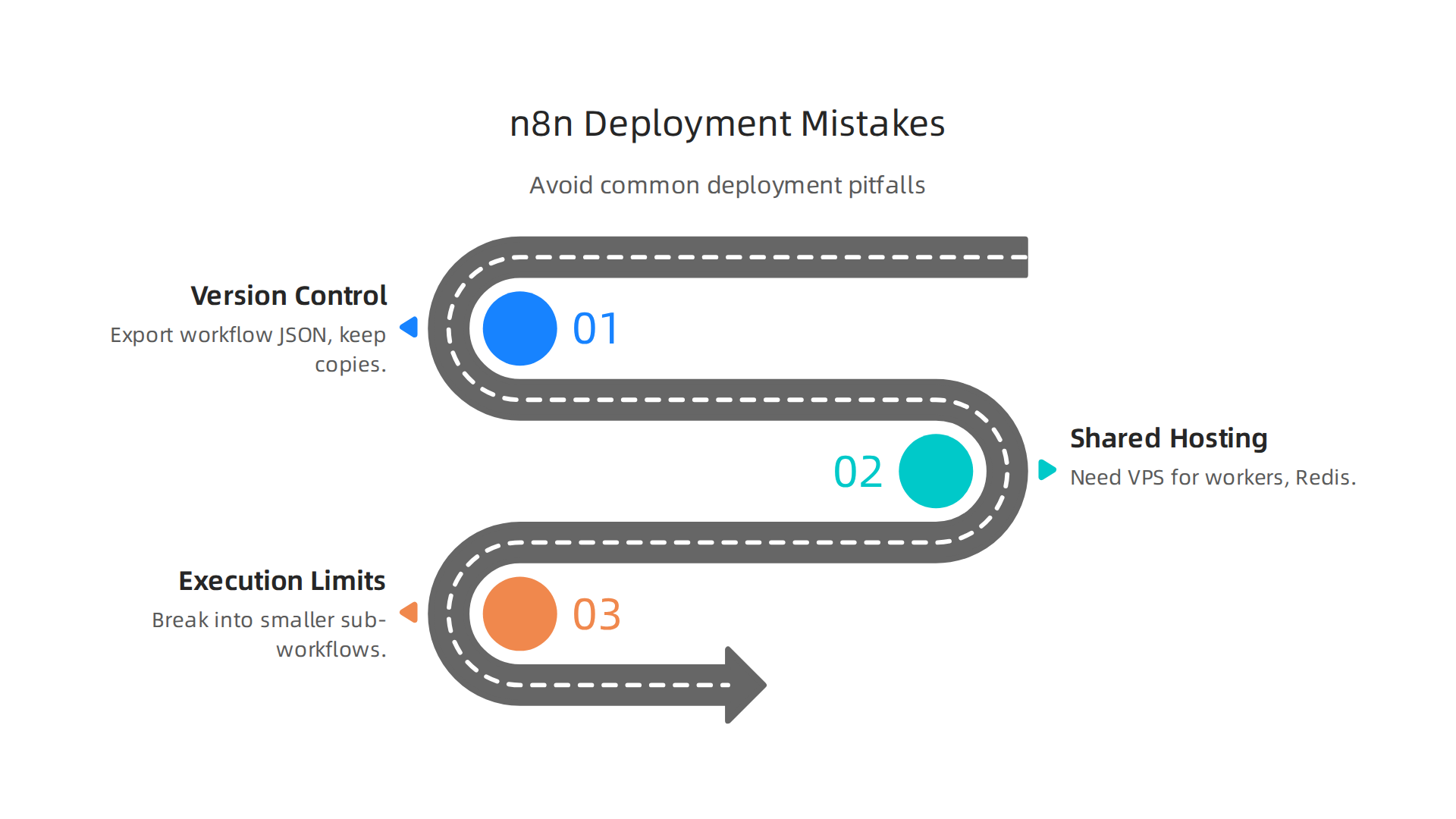
Mistake 1: Skipping version control. The n8n community discussion on versioning highlights the risk of deploying without a rollback plan. Export your workflow JSON before making big changes. Keep copies labeled by date.
Mistake 2: Using shared hosting for your n8n instance. Many people start with cheap cPanel hosting from GoDaddy or HostGator. That works for static sites, but n8n needs a proper VPS to run worker processes and Redis. If you try to use shared hosting, your workflows will time out or crash. Pick a real VPS provider like A2 Hosting or Namecheap for your n8n server.
Mistake 3: Ignoring execution time limits. Long running workflows can hit timeout limits. Break them into smaller sub-workflows that pass data to each other.
Monitor and Iterate
Once your workflow is live, n8n’s built-in execution logs show you every step. Look for nodes that take too long or throw errors. The Hatchworks n8n guide suggests setting up external uptime monitoring too. Services like Uptime Kuma can ping your webhook endpoints every few minutes. If a workflow stops responding, you get an alert before you lose affiliate commissions.
Set up a schedule to review your workflows weekly. Check if new affiliate programs require different data formats. Update your nodes and redeploy. Deployment is not a one and done step. It is a cycle. Test, deploy, monitor, improve.
If you have not set up webhooks for your affiliate automation yet, check out our guide on setting up a webhook site for affiliate marketing automation. It walks you through the exact steps to connect your affiliate network to n8n.
Summary
This article explains why n8n is a powerful automation tool for affiliate marketers and why hosting choice matters for uptime, speed, and growth. It compares three hosting paths—self‑hosting on a VPS with Docker, cloud‑managed services like n8n Cloud, and hybrid preconfigured VPS options—walking through costs, recommended server specs, and the tradeoffs between control and convenience. You’ll get a step‑by‑step overview for deploying n8n on a VPS, tips for secure operation (SSL, firewalls, backups, timely updates), and practical scaling advice using Redis worker nodes. The guide also covers common deployment mistakes, monitoring and load testing, and how to test and error‑handle your first production affiliate workflows. After reading, you’ll be able to choose the right hosting model for your budget and technical comfort, set up a reliable n8n instance, protect it, and scale your automations as your affiliate business grows.